


Release v26.09.2
30/09/2026
CliqSign
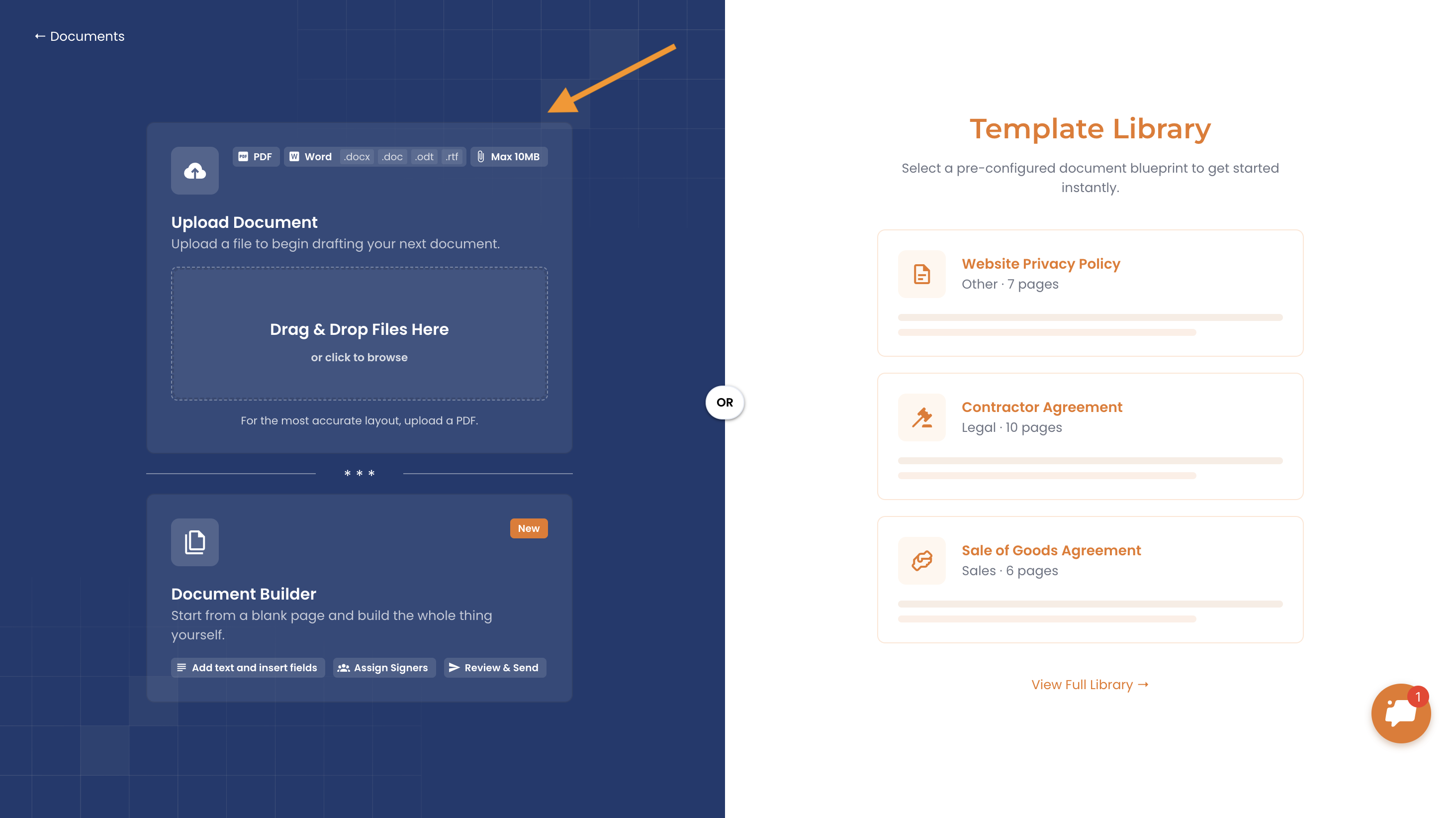
Word Document Support: You can now upload Word documents directly into CliqSign, with no need to convert them to PDF first. We support .docx, .doc, .odt and .rtf files, you can add fields and send it for signature as usual. This works for both documents and templates.
Improved PDF Processing: We've upgraded the engine CliqSign uses to read PDF files. It now handles a wider range of PDFs more reliably and processes them more efficiently, so you'll see fewer upload issues and smoother handling of complex files.
CliqForms
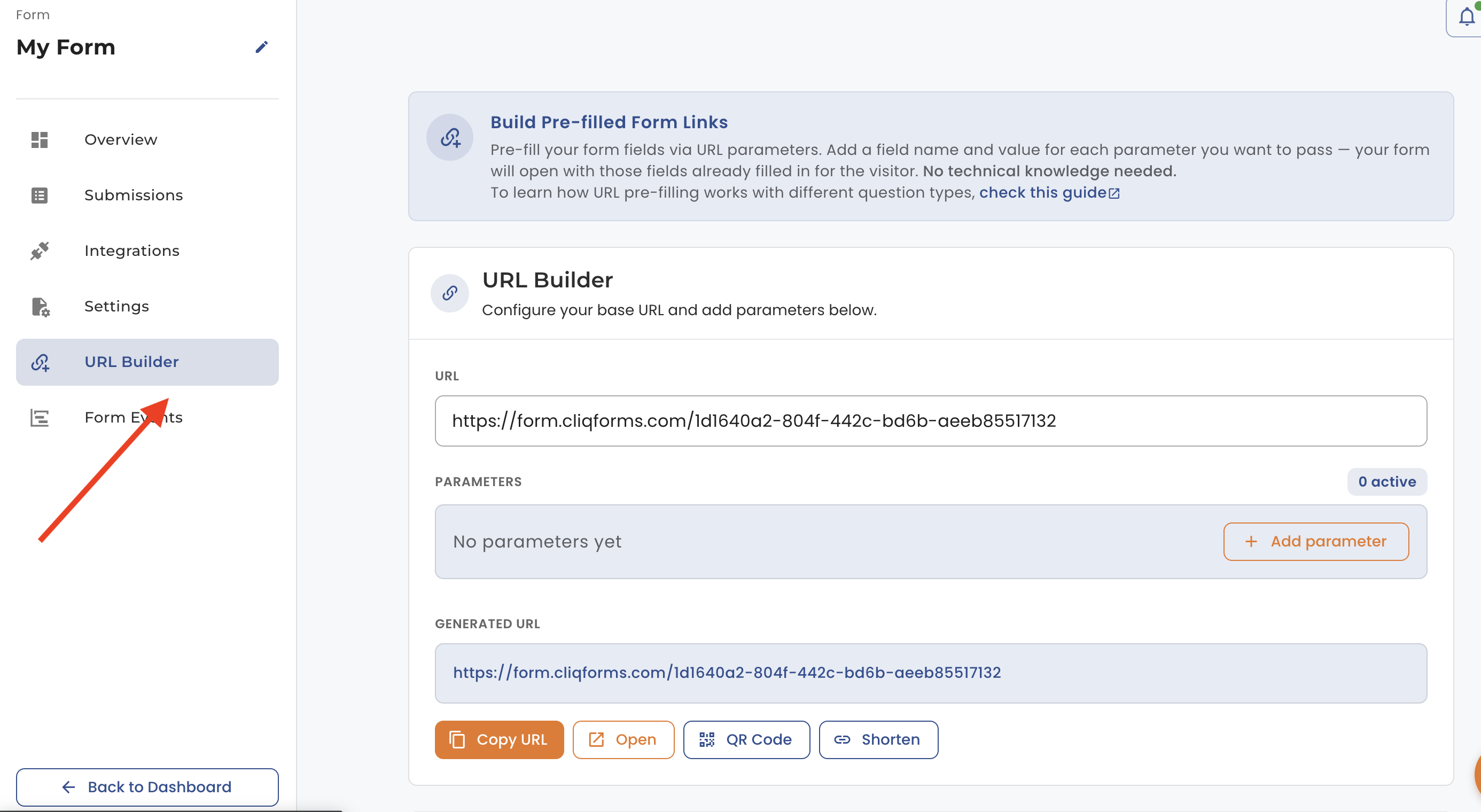
URL Builder with Save: Create custom links to your forms that come with answers already filled in. Choose any of your form fields as URL parameters and set their values. When someone opens the link, those answers are already there, so respondents have less to type. You can also add your own custom parameters, such as campaign or source tracking tags. Save your links and reuse them anytime without rebuilding them.
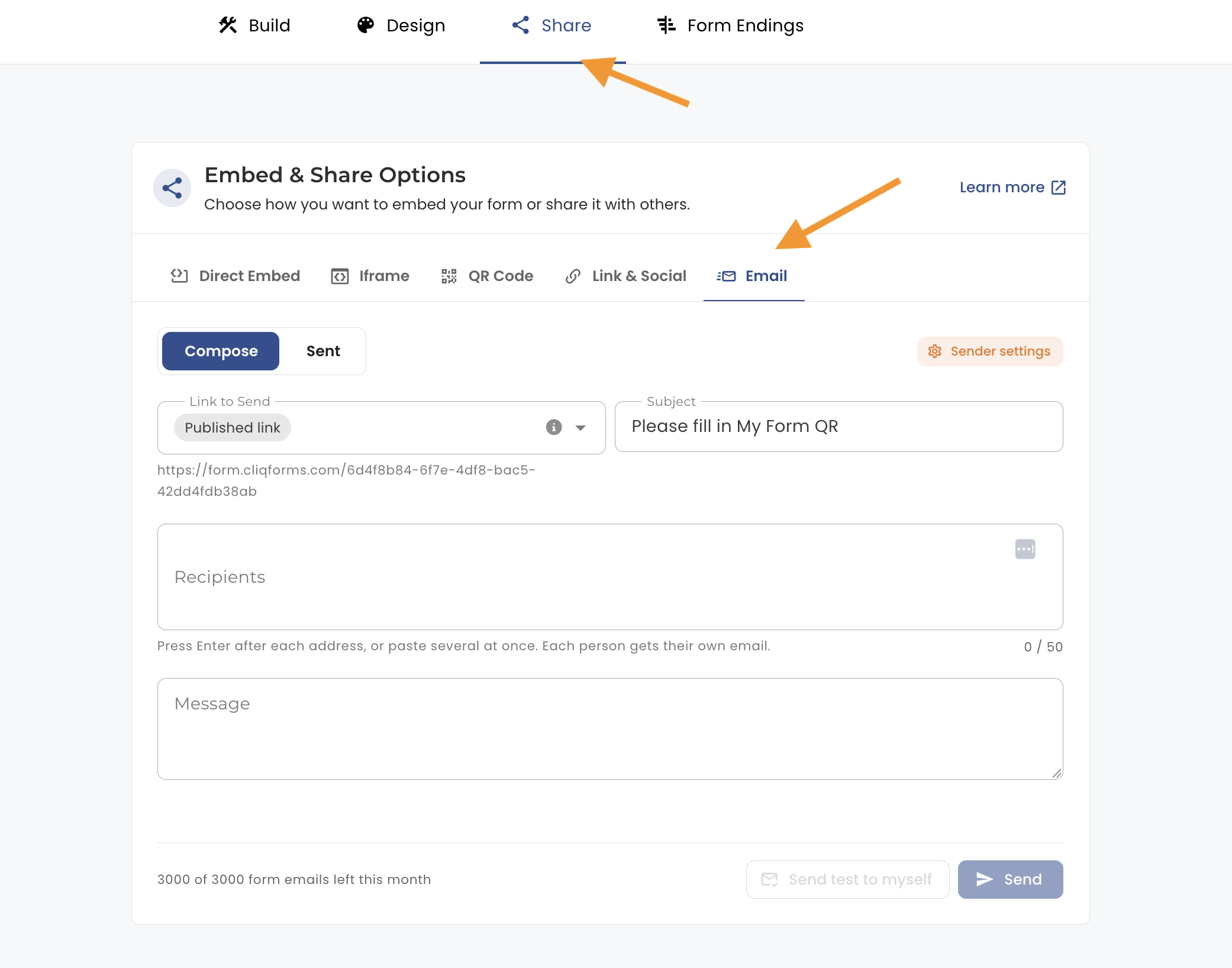
Send Forms via Email: Share your forms by email straight from CliqForms. Send to several recipients at once and personalize the email with your own subject line, message and reply-to name, so every invitation looks like it came from you.
Fixes & Performance Enhancements
General Improvements: Various minor enhancements, UI fixes to ensure a smoother overall user experience.
This release reflects our ongoing commitment to improving performance, usability, and platform security. Additional enhancements and features are currently in development, and we look forward to sharing them in upcoming releases.
.png)
Release v26.09.1
17/09/2026
CliqSign
Document Builder: We're excited to introduce our new Document Builder! You can now create documents completely from scratch using a rich, word-processor-style editor, add required form fields directly, and send them out for signature seamlessly.
CliqForms
Billing Platform Enhancements: We're upgrading our billing infrastructure to provide a more reliable and scalable billing experience. This update is performed behind the scenes and does not introduce any changes to the CliqForms interface or your existing workflow.
QR Code & New Embed Options: Every form now automatically generates a unique QR code. You can download and print this QR code to let users easily scan and access your published form links on mobile devices.
Fixes & Performance Enhancements
Zapier Integration: Resolved an issue with the File Upload question type in Zapier integration to ensure proper file URLs are sent in the payload.
General Improvements: Various minor enhancements, UI fixes, and administrative tool optimizations to ensure a smoother overall user experience.
This release reflects our ongoing commitment to improving performance, usability, and platform security. Additional enhancements and features are currently in development, and we look forward to sharing them in upcoming releases.
Release v26.08.1
13/08/2026
CliqSign
Signer Delegation: We've introduced Signer Delegation, allowing recipients to securely delegate signing responsibility to another authorised signer when appropriate. This provides greater flexibility and helps keep document workflows moving without unnecessary delays.
CliqForms
Billing Platform Enhancements: We're upgrading our billing infrastructure to provide a more reliable and scalable billing experience. This update is performed behind the scenes and does not introduce any changes to the CliqForms interface or your existing workflow.
Infrastructure
We're also deploying several server and infrastructure enhancements designed to improve overall platform performance, reliability, and stability.
This release reflects our ongoing commitment to improving performance, usability, and platform security. Additional enhancements and features are currently in development, and we look forward to sharing them in upcoming releases.
Release v26.07.2
29/07/2026
New Launch - Payment Type Question 🎉
The Payment Question is now available in the CliqForms form builder. You can add payment collection directly into your forms, making it easy to request and collect payments as part of the form submission process.
For now, we support Stripe as the payment provider, with more integrations planned for the future, we'll keep you posted as additional providers become available.
To get started, check out our help center guide: How to Connect Your Stripe Account to CliqForms.
Thanks for your patience while we got this ready, give it a try and let us know what you think!
Enhancements
We've made a number of improvements across the platform to deliver a faster and smoother experience when building and managing your forms. Faster, smoother experience across Landing Pages and the Form List, so you can build and manage with less friction.
This release reflects our ongoing commitment to improving performance, usability, and platform security. Additional enhancements and features are currently in development, and we look forward to sharing them in upcoming releases.
Release v26.07.1
08/07/2026
CliqForms Enhancements
We've made a number of improvements across the platform to deliver a faster and smoother experience when building and managing your forms.
This release reflects our ongoing commitment to improving performance, usability, and platform security. Additional enhancements and features are currently in development, and we look forward to sharing them in upcoming releases.
CliqSign - Effortless e-signatures, powered by CliqForms
25/06/2026
Product Walkthrough
From your CliqForms account, click E-Signatures in the left sidebar navigation. You'll be taken directly into CliqSign, no separate login needed. Once inside, you can upload a document, add signers, place signature fields, and send it out for signing, all without leaving the CliqForms ecosystem.
For a full step-by-step walkthrough, check out our CliqSign Quick Guide.
Release v26.06.1
25/06/2026
New Launch - CliqSign 🎉
We're excited to announce that CliqSign, our new e-signature product, is now live!
CliqSign integrates seamlessly with your CliqForms account. Use the same login, skip the extra setup, and access it directly from the CliqForms navigation menu. This first release of CliqSign comes packed with the following core capabilities:
* Documents: Upload, manage, and prepare documents for signature.
* Templates: Create reusable templates to speed up document preparation.
* Teams: Collaborate with team members within CliqSign.
* Webhooks: Integrate CliqSign events with your other systems.
* Branding: Customise the look and feel to match your brand.
CliqForms Enhancements
Faster, smoother experience across Landing Pages and the Form List, so you can build and manage with less friction.
This release reflects our ongoing commitment to improving performance, usability, and platform security. Additional enhancements and features are currently in development, and we look forward to sharing them in upcoming releases.
Something new is on the horizon 🎉
22/06/2026
We're expanding beyond forms, with performance improvements already underway, and a brand new eSignature capability to help you go from collecting information to getting it signed, sealed, and done
Stay tuned for the big reveal.
Release v26.04.1
30/04/2026
Enhancements
* Revamped Templates Section: A cleaner, more focused experience with improved structure and usability.
* Security Enhancements
* E-Signatures Preview: Get an early look at our upcoming e-signature experience. Stay tuned for the full rollout.
This release is part of our ongoing efforts to enhance performance, usability, and platform security.
Release v26.03.2
17/03/2026
Enhancements
* Redesigned Dashboard UI: Cleaner, more intuitive interface for better usability.
* Optimized Dashboard Data Loading: Swift metric calculations and seamless display.
* URL Builder: Pre-fill your form fields via URL parameters. Add a field name and value for each parameter you want to pass, your form will open with those fields already filled in for the visitor.
This is the first step in our continued improvement of the dashboard. We'll be rolling out additional enhancements in the coming months to make it even more powerful.
Release v26.03.1
10/03/2026
Enhancements
* Improved Landing Page Generation - Resolved issues and enhanced page creation capabilities.
* Enhanced Submissions export with new date filtering options for more precise data analysis.
* Overall Security Improvements - Strengthened platform security across all features.
* Added safeguards and clearer messaging for destructive builder actions (e.g., deleting hidden fields choice formulas or answer piped questions).
* Iframe embeds now display the parent page URL as the source URL, similar to Direct Embed, instead of the published form URL.
* Improved Single and Multi-choice questions on mobile for better responsiveness.
LeadGen is Now CliqForms 🎉
28/01/2026
Infrastructure
Successfully migrated LeadGen to CliqForms, marking a complete transition to the new platform.
Nothing changes for you:
* Your forms, data, integrations & workflows remain intact
* No action required on your end
* Your login and existing links continue to work as before
New
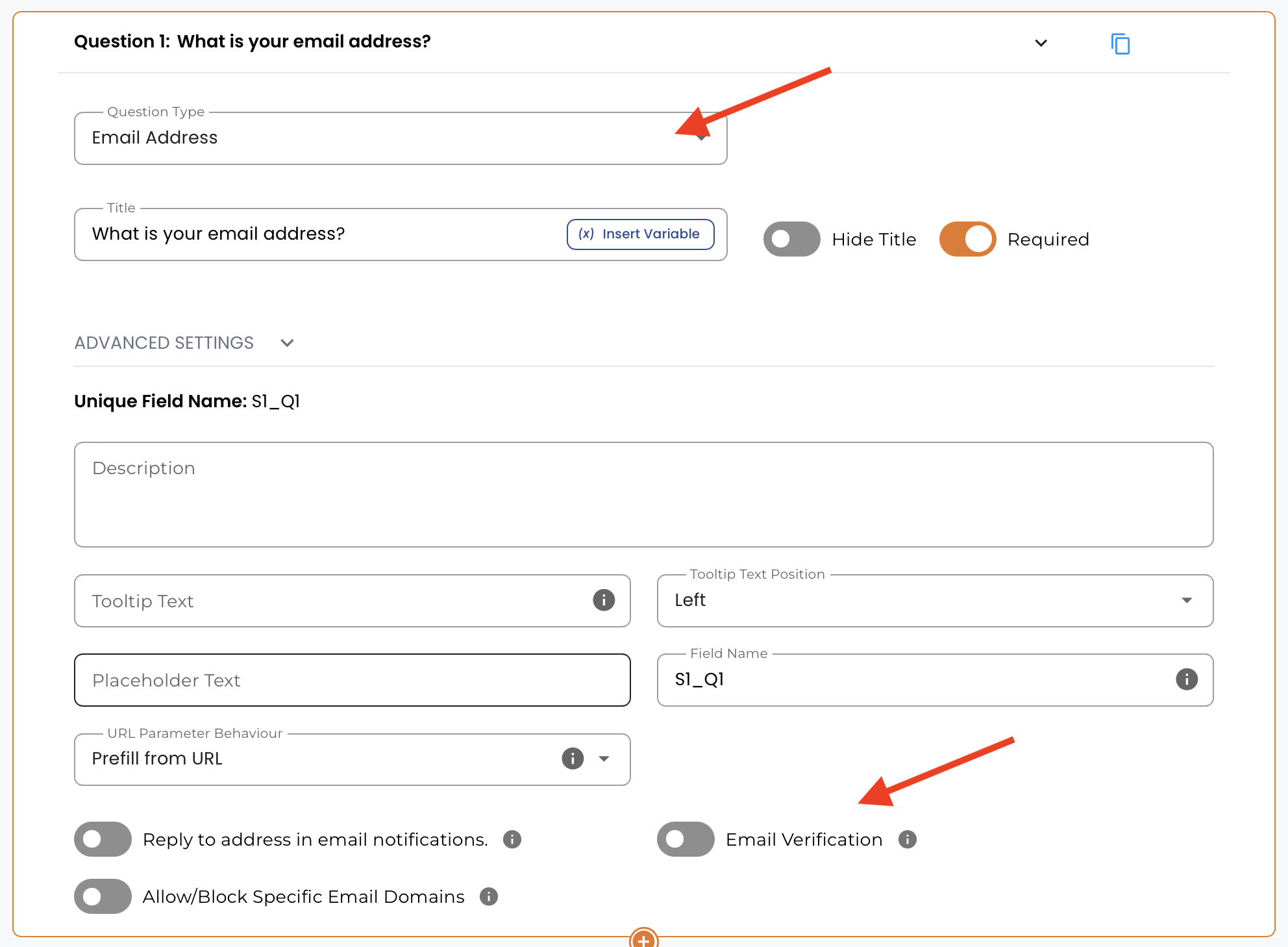
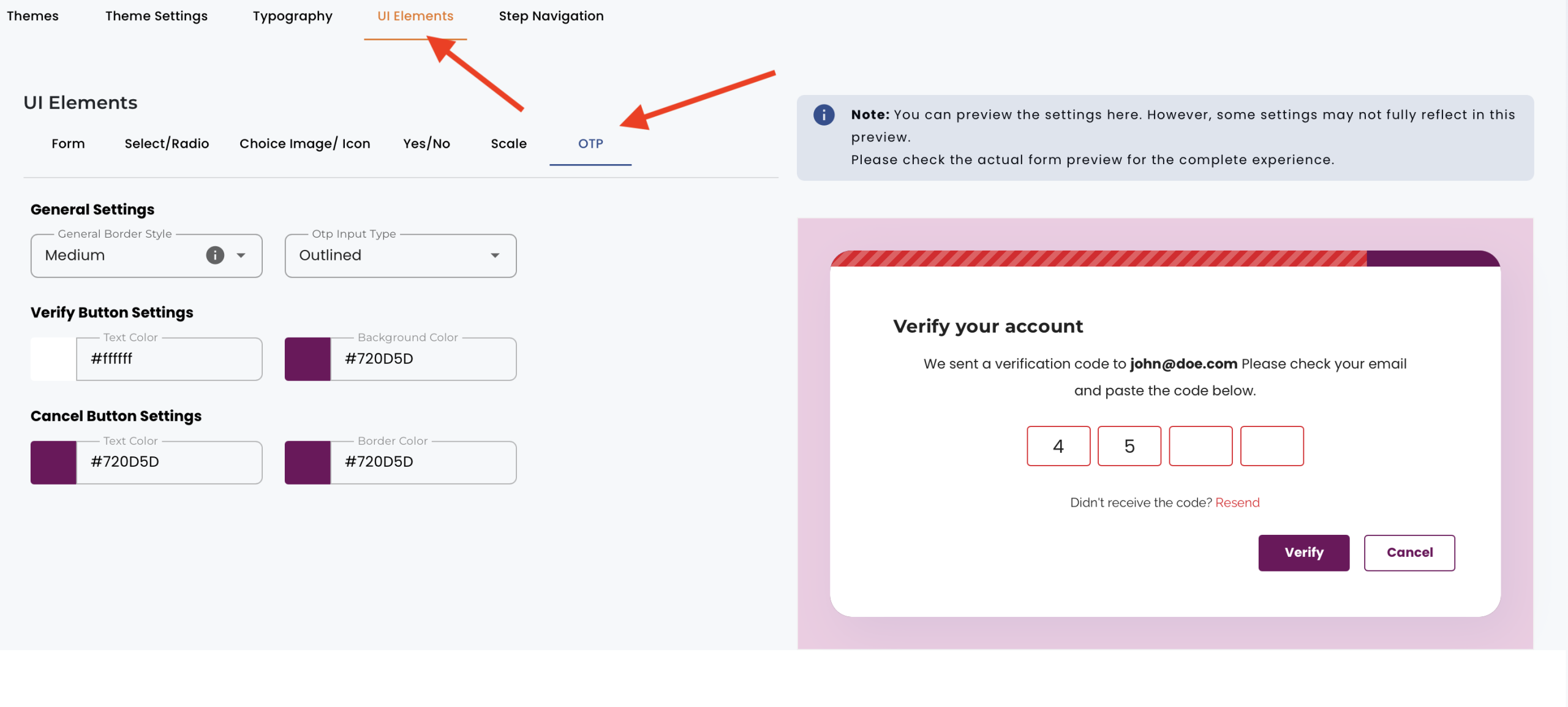
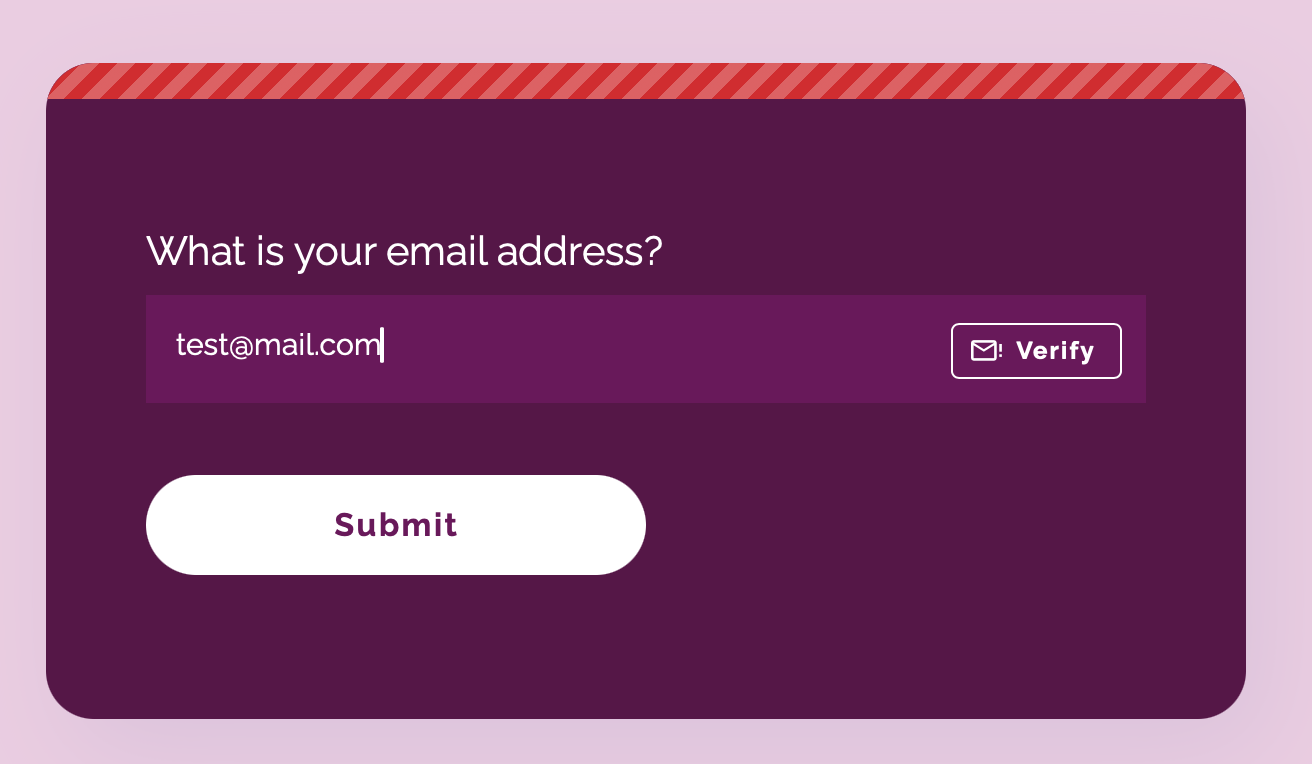
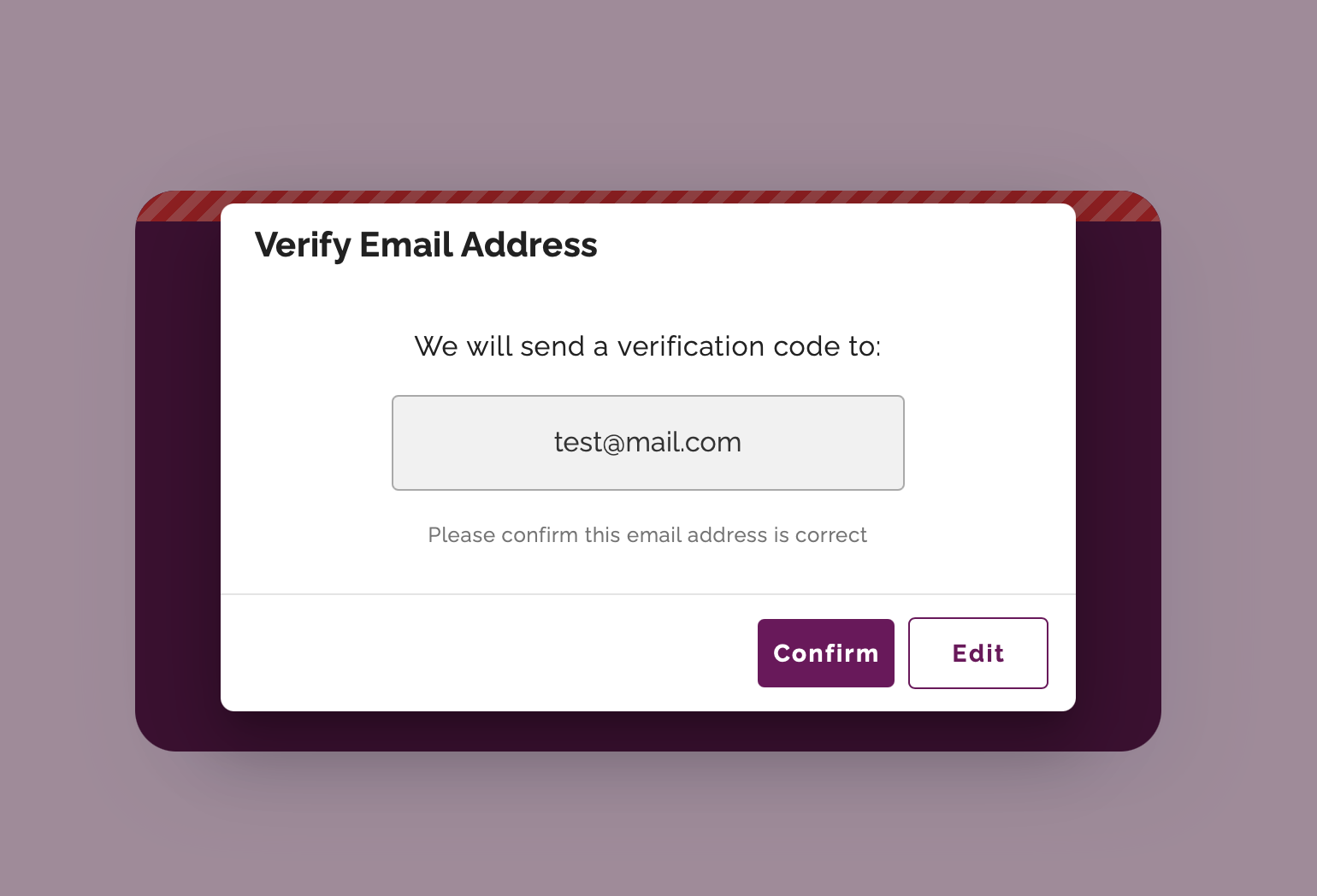
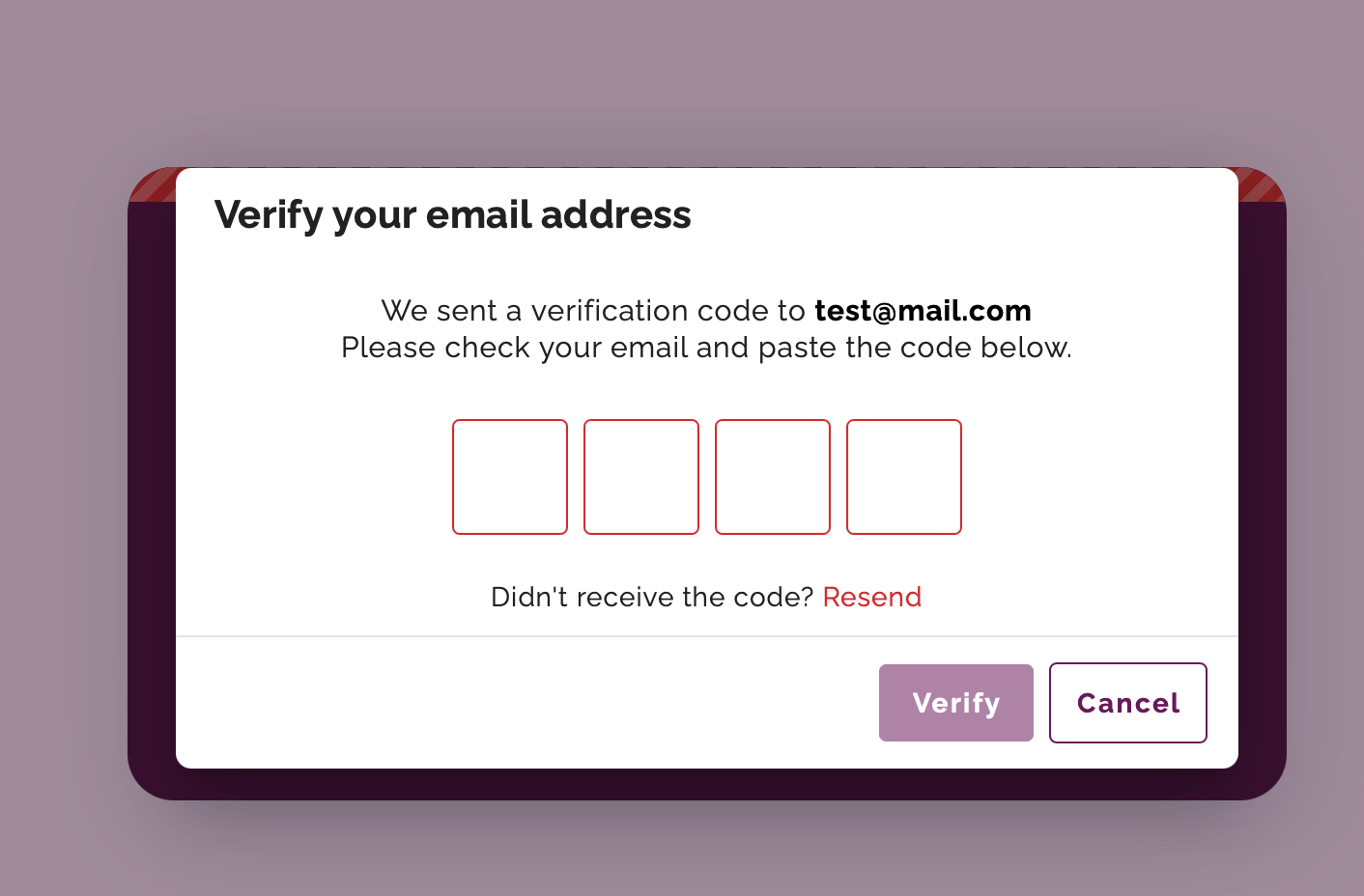
* Implemented email verification to improve data accuracy and reliability.
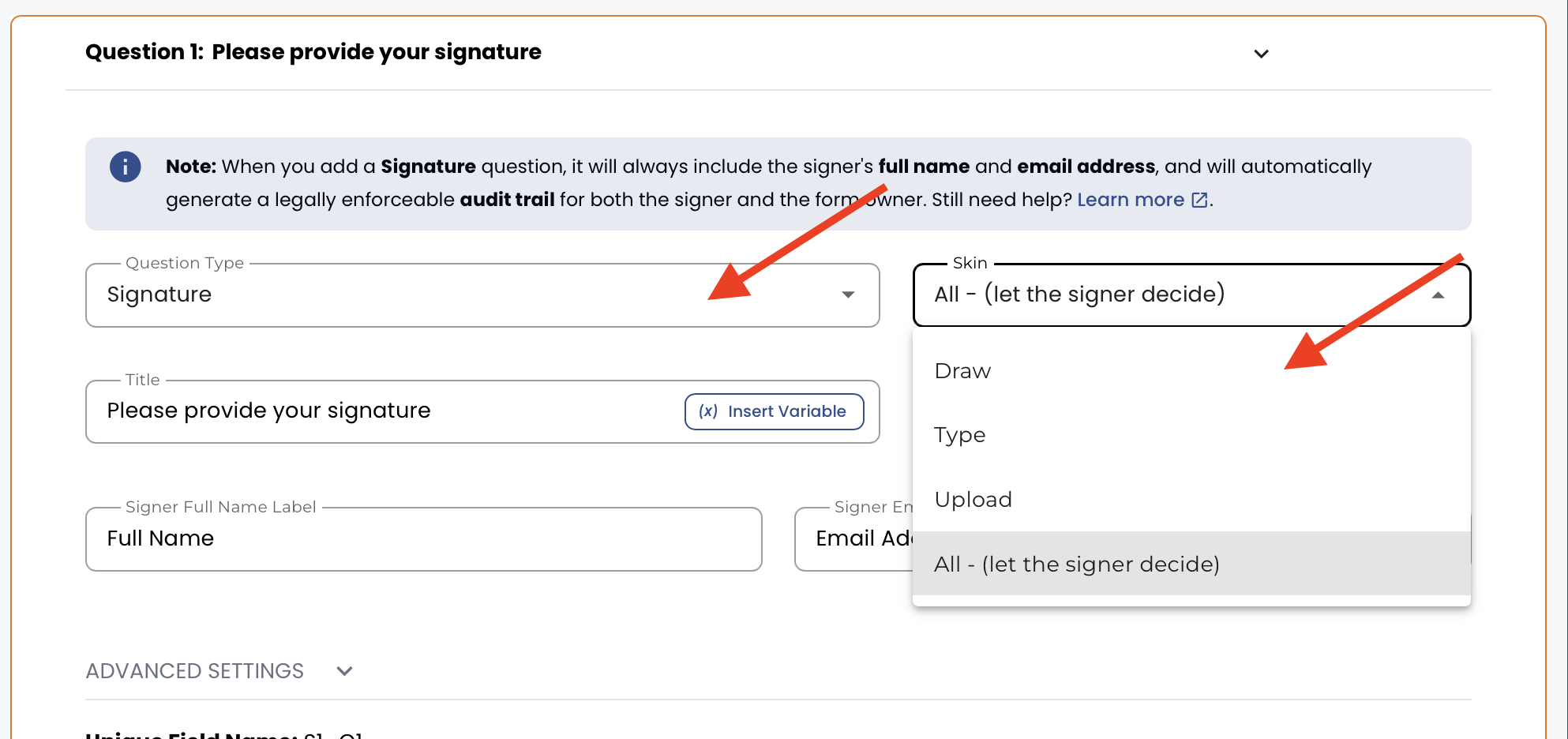
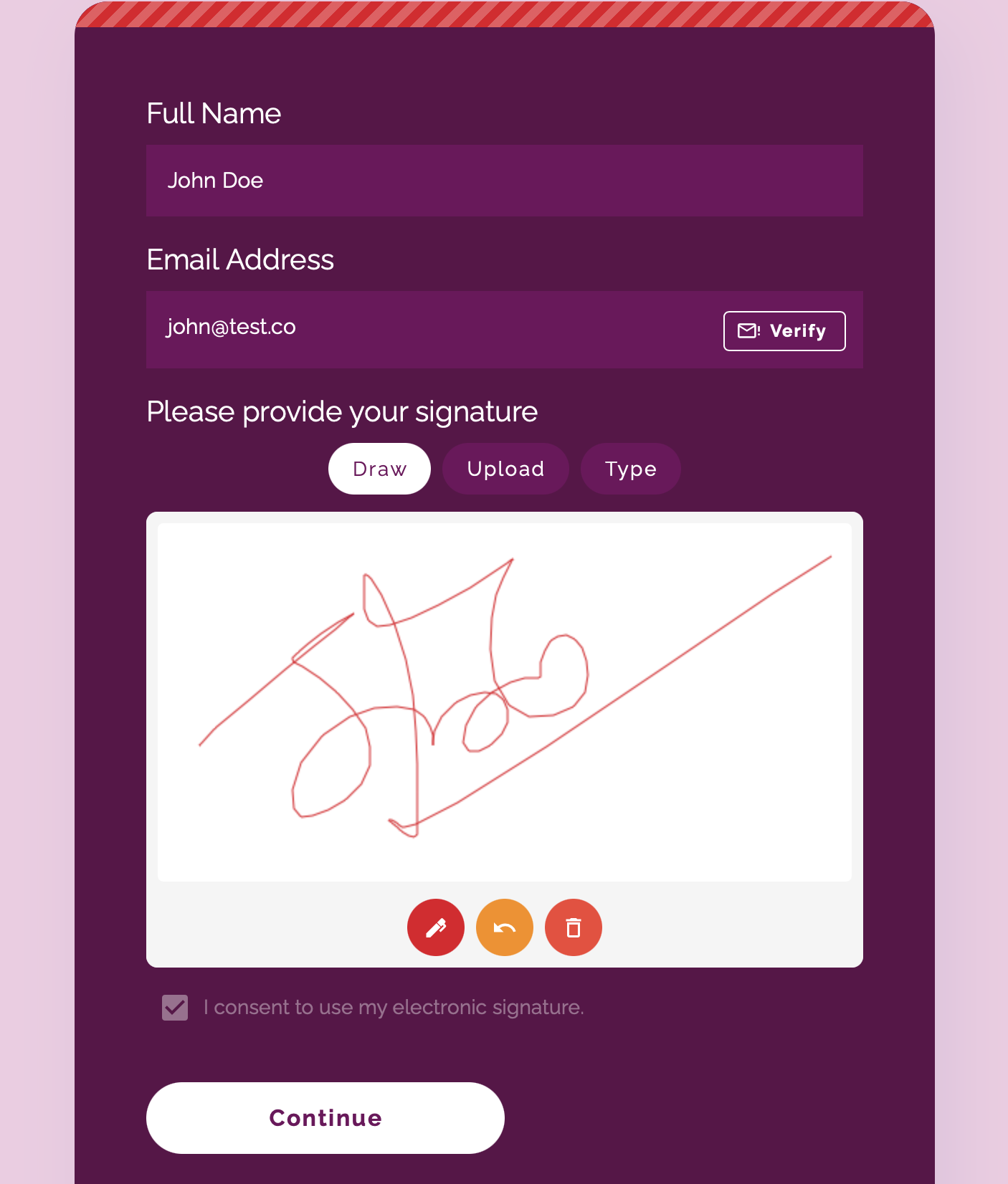
* Added signature question with audit trail.


.png)