
update - collect payments in your forms with the new payment type field

Prepare PDFs, collect secure electronic signatures and track every document from one focused workspace — without leaving the CliqForms ecosystem.
No separate account to manage. Launch CliqSign from your CliqForms workspace.
.png)
CliqSign keeps preparation, delivery and follow-up in one workflow so your team always knows what happens next.
Add a PDF or reuse a template. Place signer fields manually or let smart detection identify likely signature, date and text areas.
Send secure invitations by email or generate individual links. Set signing order, passcodes, reminders and an expiry date.
Follow every status and signer action. Download the completed PDF and its audit certificate when signing is finished.
Move from document setup to completion without stitching together separate tools or losing sight of the details.
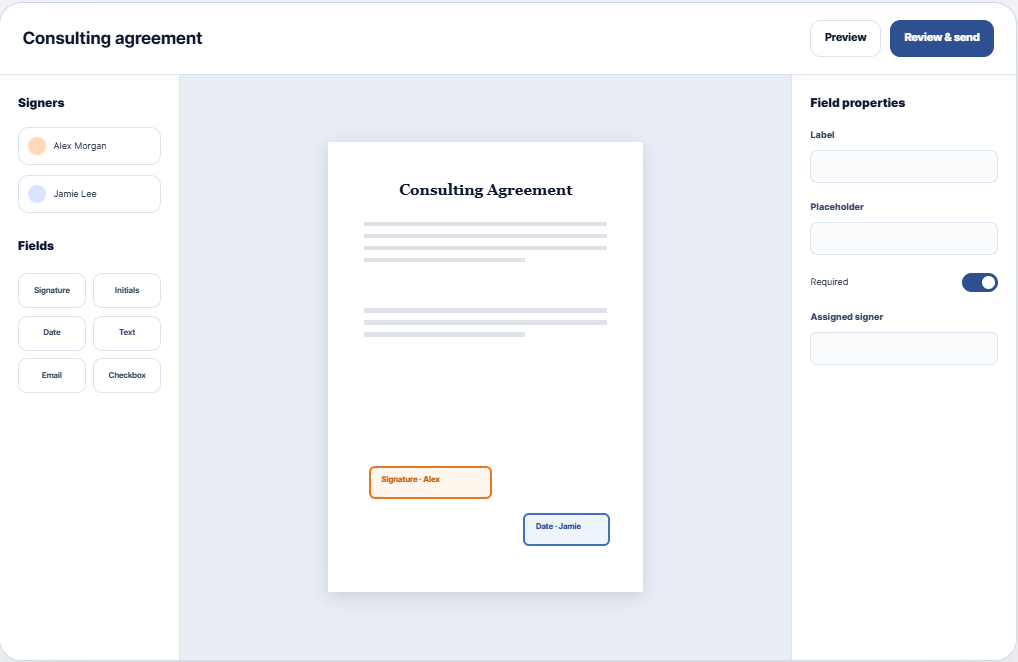
Build directly on the PDF, assign each field to the right signer and review the full experience before sending.
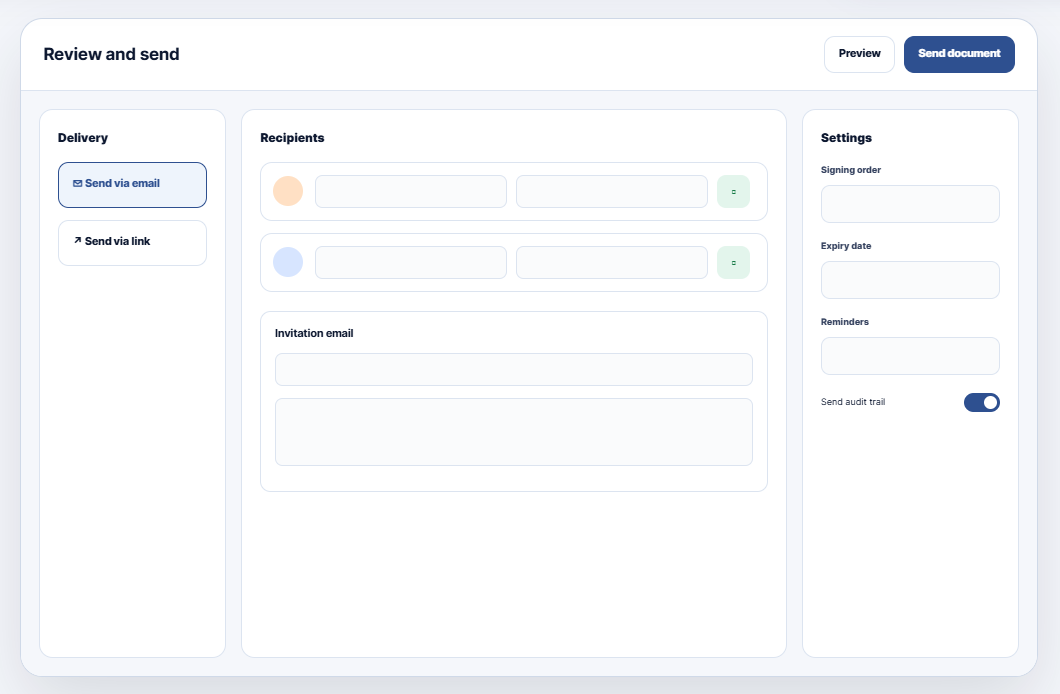
Choose the delivery method that fits the conversation, then configure how and when each recipient signs.
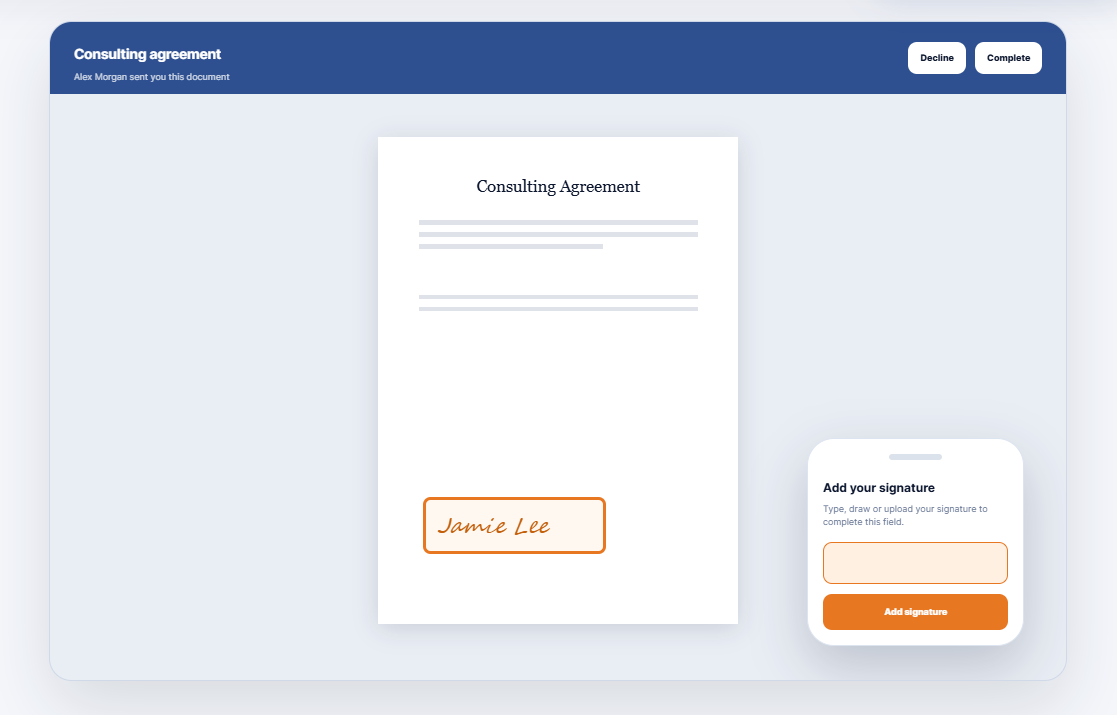
Recipients open a focused signing page, complete only their assigned fields and provide consent before submission.
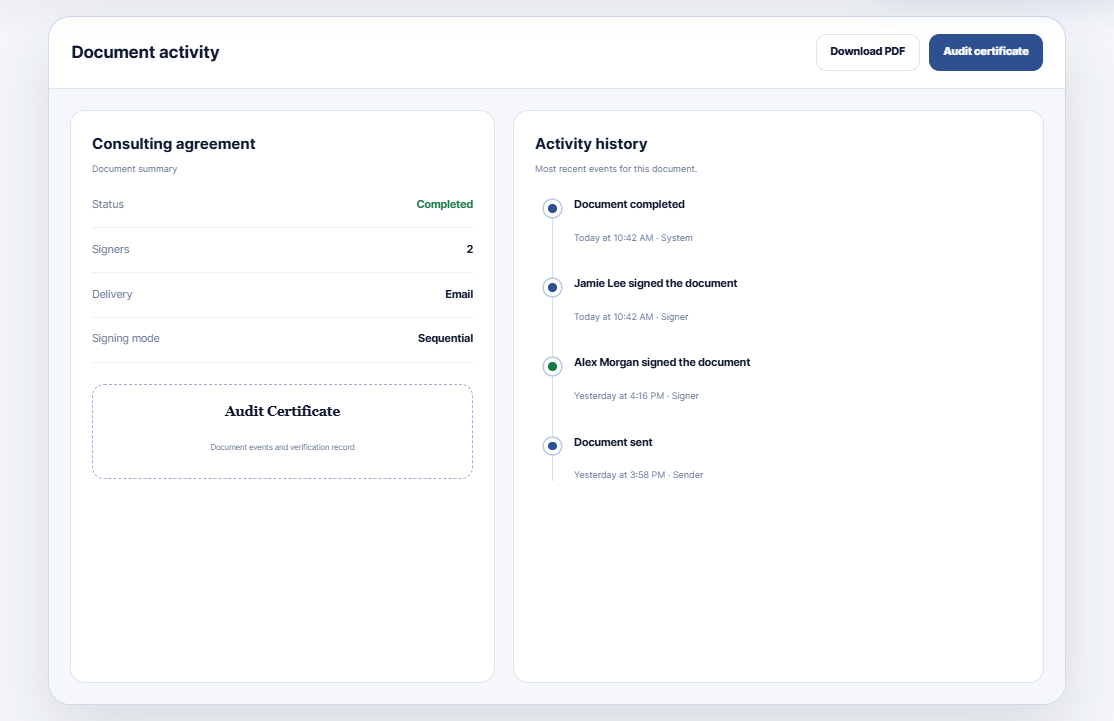
View signer progress, lifecycle events and document metadata without searching through sent email threads.
The video below demonstrates the streamlined process of preparing your document for signing in a few straightforward steps.
CliqSign covers the practical details that keep agreements moving and make the final record useful.
Identify likely signature, initials, date, text, email and checkbox locations from labels, blanks and PDF form fields.
Save prepared PDFs with standard fields, browse by category and start repeat agreements without rebuilding the workflow.
Adjust the subject, message and CC list, preview the email and insert signer, document, sender and expiry details.
Prompt outstanding email recipients automatically and set a clear deadline for every signing request.
Add an access code for individual recipients, generate one in the workflow and reset it while signing is pending.
Void, expire, extend, duplicate or edit and resend documents while preserving clear lifecycle behaviour.
Apply your logo, colour theme and business identity to signing pages and emails, with signed-PDF footer controls.
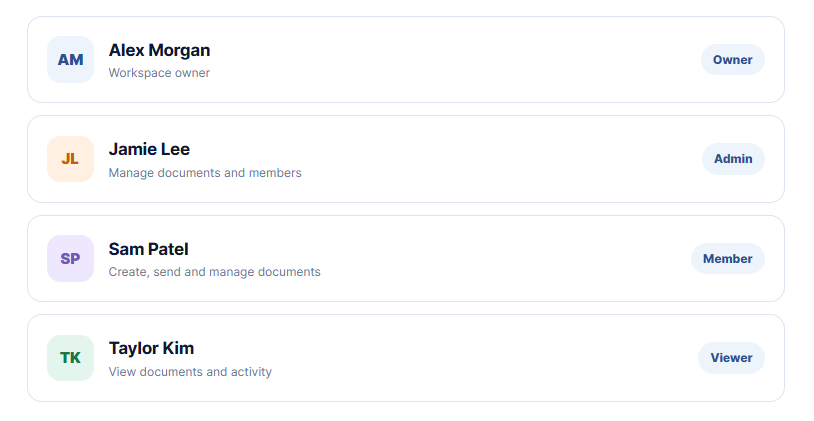
Separate personal and team documents, invite collaborators and assign Admin, Member or Viewer access.
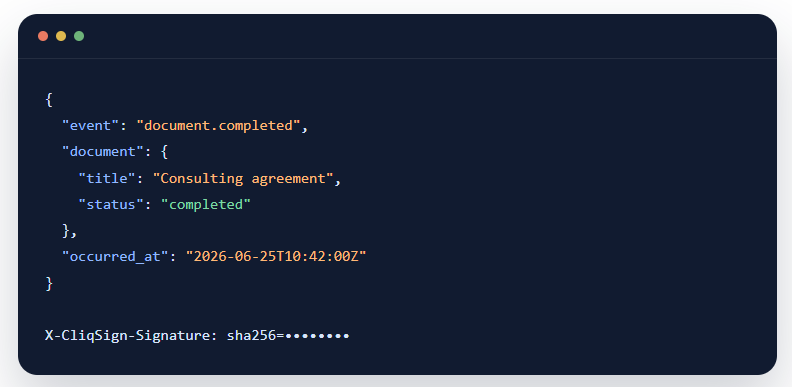
Deliver selected document and signer events as JSON payloads with HMAC-SHA256 signature verification.
CliqSign records the important actions around a document and gives senders practical controls over access, completion and retention.
Visit the Cliqforms Security Page →Recipients review and accept an electronic-signature consent statement before submission.
Document and signer lifecycle events are available in one chronological activity view.
Unique signer links, optional access codes and rate-limited password verification protect entry.
Download the completed signed PDF and a separate audit certificate for your records.
Control who can work in a shared space, then pass verified signing events into downstream systems.
Create team workspaces and match access to responsibility. Owners retain account control while collaborators get a clear operating role.
Subscribe an endpoint to selected lifecycle events. CliqSign signs each payload so your application can verify where it came from.
CliqSign is launched from your authenticated CliqForms workspace. The handoff creates a secure CliqSign session, so you do not need to maintain a separate login.
No. Each recipient opens their unique signing link, completes the fields assigned to them, reviews the consent statement and submits the document without creating an account.
Recipients can type a signature using a chosen style, draw it on screen or upload a PNG or JPG signature image. Initials use the same flexible capture flow.
Yes. Link delivery generates a separate signing URL for each recipient so you can share it through your preferred channel. Email delivery remains available when you want CliqSign to send and remind recipients.
The activity view records significant document and signer lifecycle events with timestamps and available actor or request metadata. Completed documents can also provide a downloadable audit certificate.
Document allowance, storage, maximum PDF size, team capacity, custom branding and webhooks can vary by subscription. Visit the CliqForms pricing page for the current plan comparison
Open CliqForms, launch CliqSign and move from PDF to signature in one connected workflow.


.png)
