


Quick Answer — The 7 Lead Generation Optimization Mistakes
The most common lead generation optimization mistakes are asking for too many form fields, no mobile optimization, sending visitors to a homepage instead of a focused landing page, no partial lead capture, slow page load times, a weak or absent call to action, and no follow-up automation. Each one is fixable without a redesign or a developer.
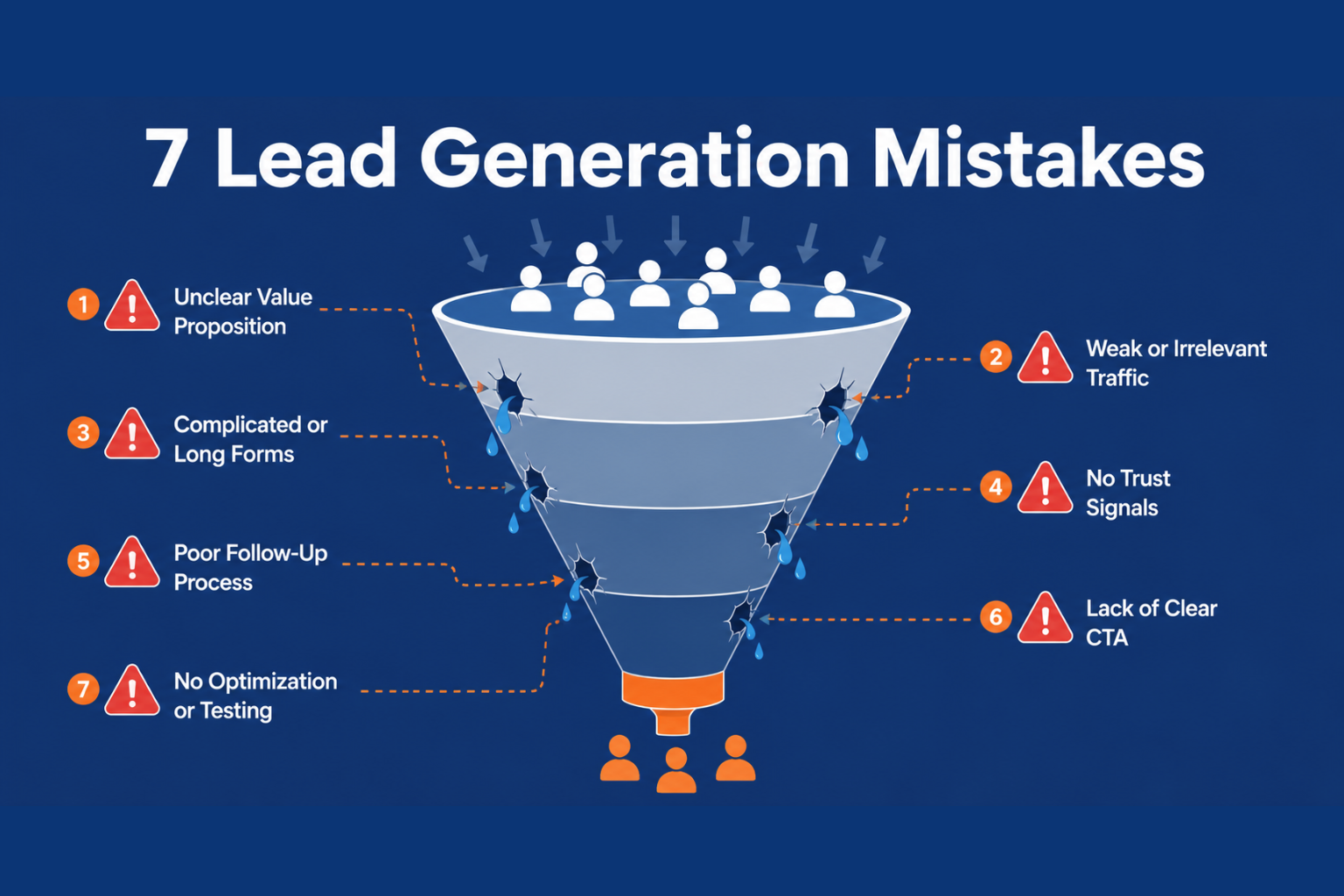
Your Funnel Looks Fine. So Where Are the Leads Going?
You have a website. You have a form. You are running ads or getting traffic from somewhere. And yet the leads just are not coming in the way they should.
The most common diagnosis is a traffic problem. More visitors, more leads.
But in most cases, traffic is not the issue. The problem is lead generation optimization — or rather, the absence of it. Somewhere between a visitor landing on your page and hitting submit, something goes wrong.
This post identifies the seven most common places that break and gives you a specific fix for each one. No redesign required. No developer needed.
Mistake 1: Asking for Too Much Information Upfront
The most consistent conversion killer across every industry and business type is a form that asks for too many fields.
Every additional field a visitor is asked to complete represents a decision point — another moment where they can choose to give up instead of continuing. A form asking for name, email, phone number, company, job title, budget, and preferred contact time will convert a fraction of what a form asking for name and email alone will achieve.
The fix is straightforward. Start by asking only for the minimum information you genuinely need to take the next step. If you need more detail, you can gather it during a follow-up conversation or through a second form after initial contact is established.
CliqForms' progressive profiling feature allows you to collect more detail over multiple interactions, so you never have to choose between data quality and completion rate.
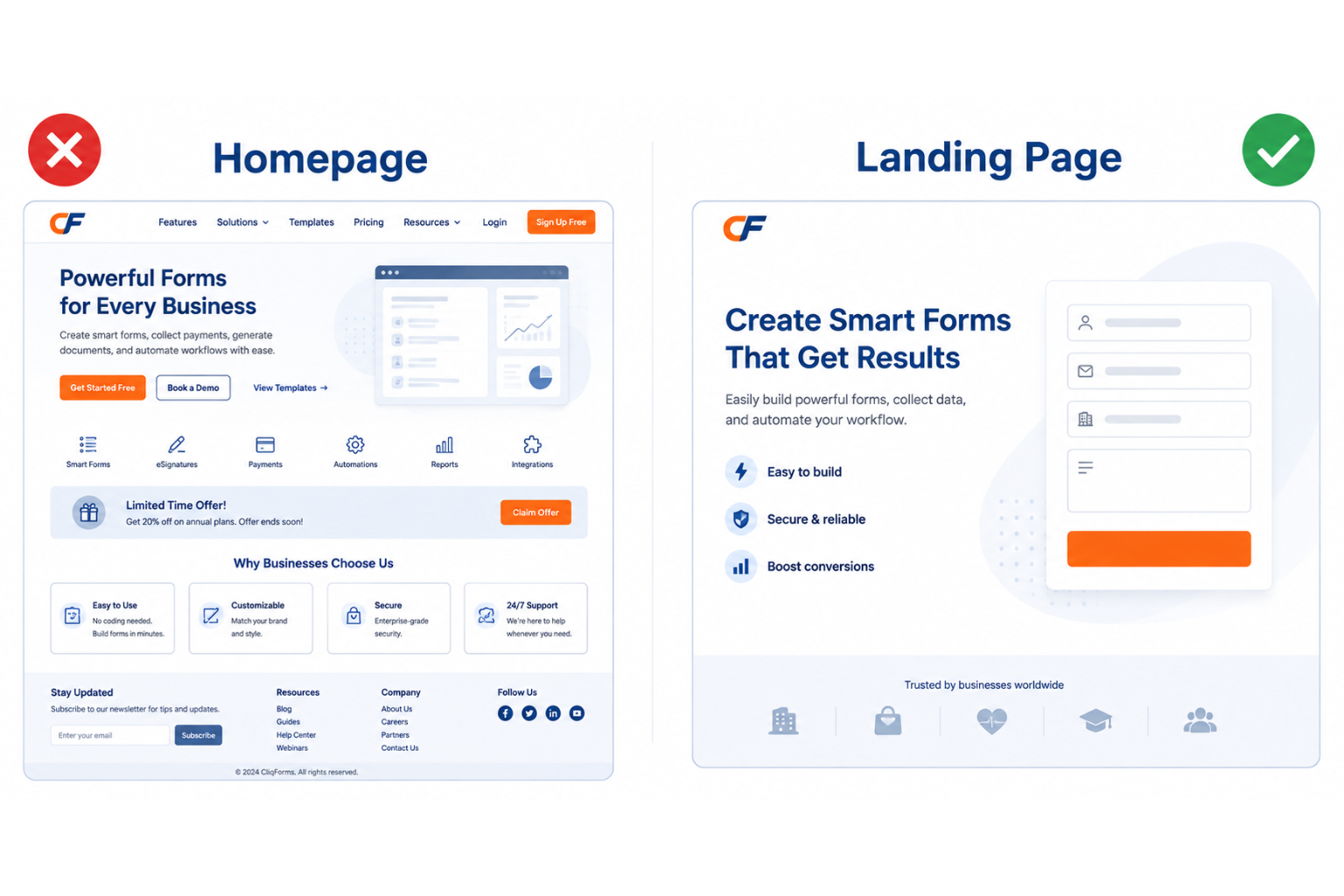
Mistake 2: Sending Visitors to Your Homepage
This one is quietly responsible for an enormous amount of wasted lead generation spend.
When someone clicks an ad, a social post, a QR code, or an email link, they arrive with a specific intent. They want to take one action. A homepage gives them twenty different directions to go instead of one—and most of them leave without taking any.
The fix is a dedicated landing page for each campaign or traffic source, with one clear message and one clear call to action. CliqForms' AI landing page builder lets you create a focused, conversion-ready page in minutes — with your form already embedded and your brand applied automatically.
Mistake 3: No Mobile Optimization
More than half of all website traffic for small businesses arrives on a mobile device. If your form is not built specifically for mobile — with large tap targets, a clean single-column layout, and fields that are easy to complete on a small screen — you are losing a significant portion of your potential leads before they even start typing.
The fix is to test your form on a real mobile device before publishing, not just in a desktop browser's mobile preview. Check that every field is easy to tap, that the keyboard does not obscure the submit button, and that the form loads quickly on a mobile connection.
Every CliqForms form is built mobile-first by default, meaning the experience is optimized for small screens without any additional configuration.
Mistake 4: Losing Leads Who Do Not Finish the Form
Here is a mistake that most small business owners do not even know is happening: when someone starts filling in a form and leaves before hitting submit, that information disappears entirely.
They typed their name. They entered their email. They got interrupted, or changed their minds, or simply ran out of time. And because they never submitted, you have no record they were ever there.
The fix is partial lead capture—a feature that saves contact information as soon as it is entered, regardless of whether the form is ever submitted. In CliqForms, partial lead capture is built in. Every lead who starts a form becomes a contactable lead, even if they never reach the end.
Mistake 5: A Weak or Generic Call to Action
The button at the end of your form does more work than most people realize. A button that says "Submit" tells a visitor nothing about what happens next. A button that says "Get My Free Quote in 24 Hours" tells them exactly what they are getting and when.
The same applies to the headline above your form. "Contact Us" is not a value proposition. "Book a Free 15-Minute Review" is a call to action.
The fix is to rewrite every generic CTA on your form with a specific, benefit-led alternative. What does the visitor get for filling this in? When will they hear back? Make the answer to both questions obvious before they decide whether to submit.
Mistake 6: Slow Page Load Times
Lead generation optimization is not only about form design. If the page your form lives on loads slowly, a significant percentage of visitors will leave before the form ever appears.
Research consistently shows that pages taking longer than three seconds to load lose a substantial share of mobile visitors. Every second of additional load time compounds the drop-off.
The fix involves compressing images on your page, removing unnecessary scripts and plugins, and hosting your form on a fast, lightweight platform. CliqForms forms and landing pages are built to load quickly on any connection speed, so your lead capture is never delayed by platform performance.
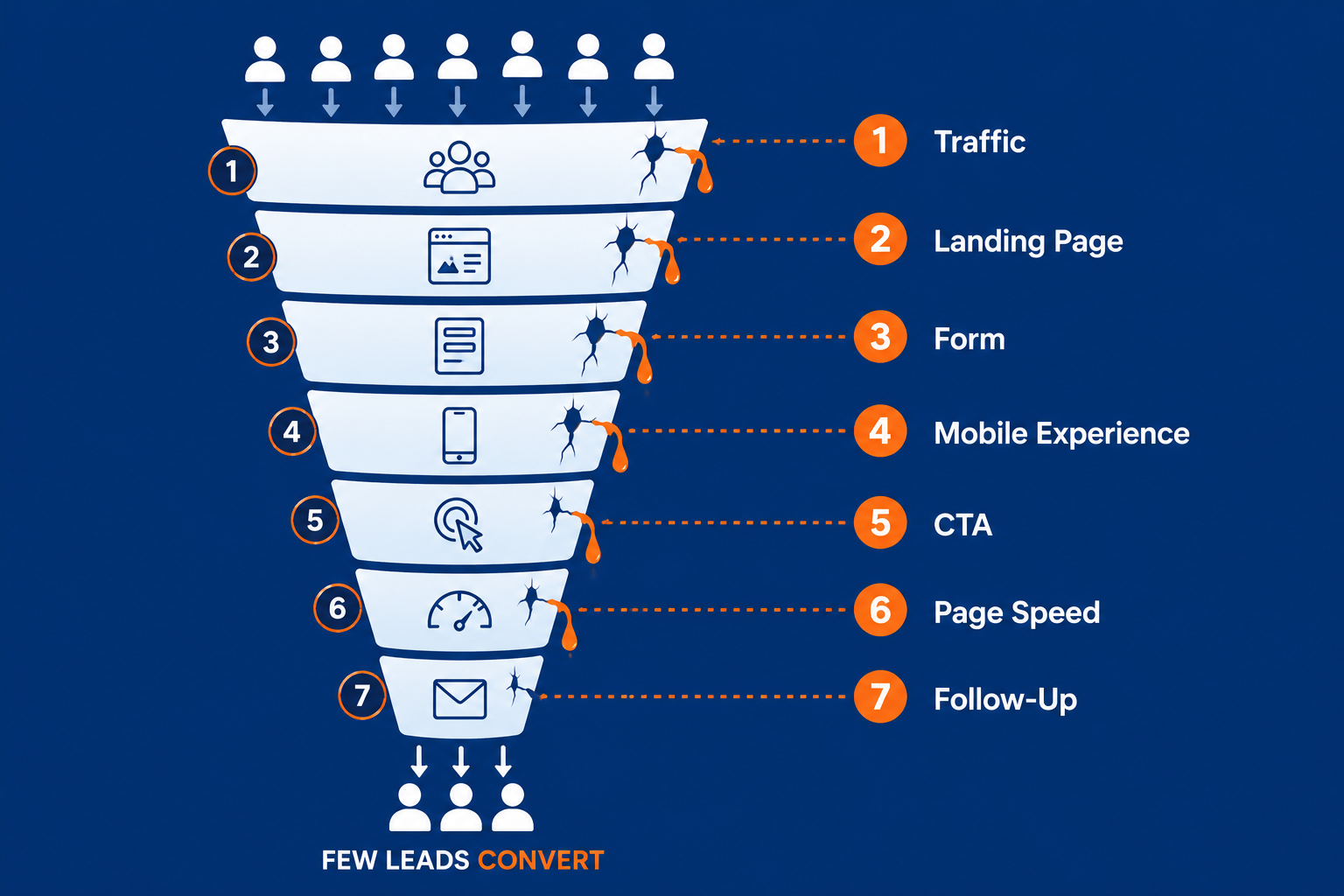
Mistake 7: No Follow-Up Automation
The final mistake is not losing the lead on the form; it is losing them after they submit.
A lead who submits on a Friday afternoon and receives a reply the following Monday morning is not the same lead who submitted on a Friday and received an automatic confirmation and a personal follow-up within the hour. In competitive markets, the difference in conversion rate between fast and slow follow-up is significant.
The fix is to connect your form to an automated follow-up sequence. CliqForms integrates directly with your CRM and email tools so that the moment a lead is captured, the right response goes out — immediately, without manual intervention, regardless of when the submission comes in.
How to Audit Your Own Lead Generation Funnel
Before making any changes, it is worth identifying which of these seven mistakes is most affecting your results. A simple audit takes less than thirty minutes and gives you a clear priority list.
Start by checking your form completion rate in your analytics tool. If it is below five percent, the form itself is likely the issue—field count, mobile layout, or CTA. If the completion rate is healthy but leads are not converting into customers, the problem is more likely in follow-up speed or lead quality. If traffic is landing on your homepage rather than a dedicated page, that is always the first thing to fix regardless of anything else.
CliqForms' built-in analytics show you exactly where visitors drop off in a multi-step form, which fields cause the most hesitation, and what your overall completion rate looks like over time—so you are never guessing.
Frequently Asked Questions
What is lead generation optimization?
Lead generation optimization is the process of improving the systems, pages, and forms that capture potential customers so that more visitors convert into contactable leads. It covers form design, landing page structure, mobile experience, call to action copy, page speed, and follow-up automation.
Why is my lead generation not working?
The most common reasons lead generation underperforms are too many form fields, no mobile optimization, sending traffic to a homepage instead of a focused landing page, no partial lead capture for incomplete submissions, weak call-to-action copy, slow page loading, and no automated follow-up. Most of these can be fixed without a developer or redesign.
What is a good form completion rate?
For most small business lead capture forms, a completion rate between five and fifteen percent is considered healthy. Multi-step forms with fewer fields per step often achieve higher rates. If your rate is below three percent, the form is likely asking for too much information or is not well optimized for mobile.
What is partial lead capture?
Partial lead capture is a feature that saves a visitor's contact information as soon as they enter it, even if they never submit the completed form. This means incomplete submissions are not lost — you can follow up with anyone who started the process, regardless of whether they reached the end.
How does website conversion optimization differ from lead generation optimization?
Website conversion optimization covers all the ways a website can encourage visitors to take an action — purchases, sign-ups, bookings, and more. Lead generation optimization is a specific subset focused on capturing contact information from potential customers. For small businesses, the two often overlap, but lead generation optimization is more directly tied to form performance and follow-up processes.
Final Thoughts
If your funnel looks right on paper but leads are still not coming through, the problem is almost certainly one of these seven things. The good news is that none of them require a complete rebuild.
Fix one thing at a time. Start with the form field count. Then check your CTA copy. Then make sure partial lead capture is enabled so you are never losing someone who almost converted.
Small changes in lead generation optimization compound quickly. A form that converts at ten percent instead of three percent does not just deliver more leads—it makes every other part of your marketing more effective at the same time.
.png)




.png)