
update - collect payments in your forms with the new payment type field

Published On:
April 28, 2026
How can we resolve email lead notifications landing in spam and bring them back to your inbox? Follow the steps below.
1. Mark as “Not spam." In Gmail, you can do this by opening the email and clicking on “Report not spam."
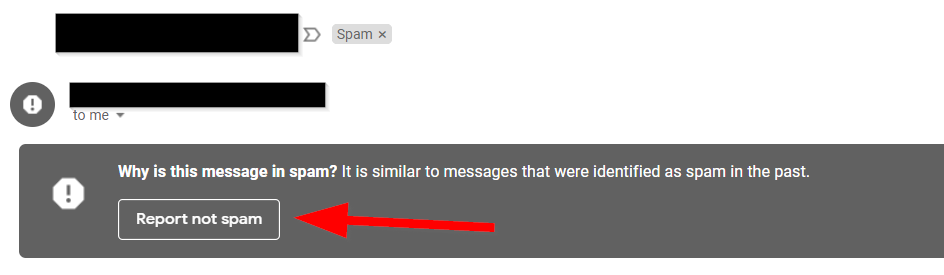
2. Add sender to your contacts: If you are using Gmail, go to https://contacts.google.com/
– Click Create contact or Create multiple contacts.
– Enter hi@cliqforms.com as your contact’s email
– Click Save.
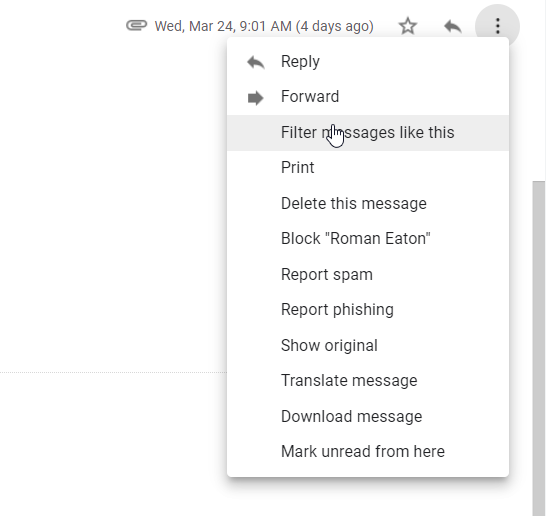
3. Create rules to filter your emails: Open the email, click on the settings tab on the right, click on “Filter messages like this.
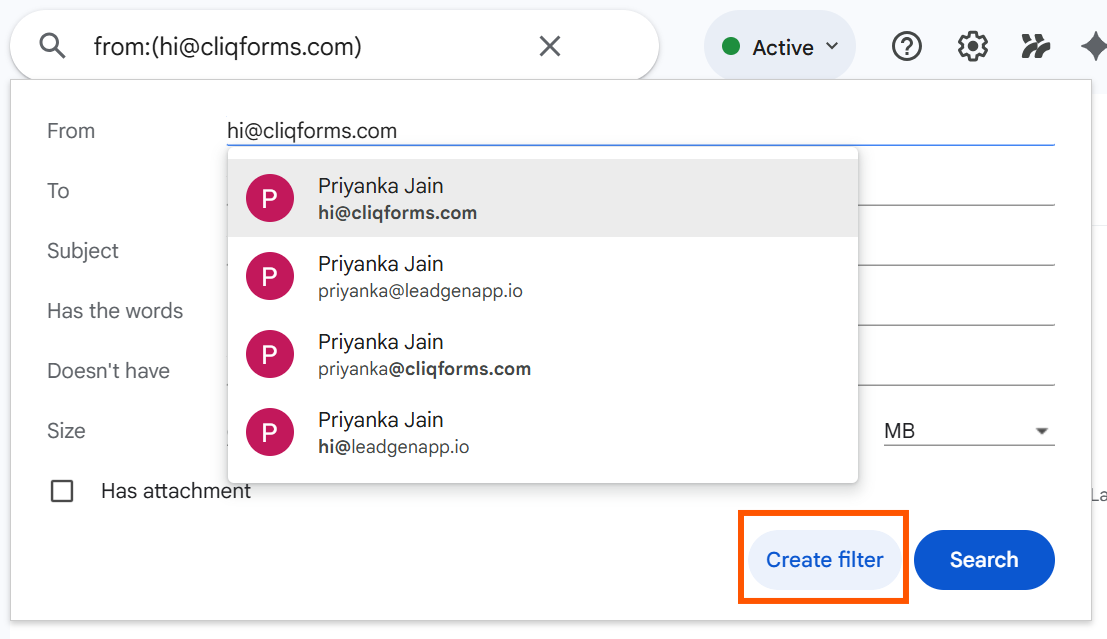
Type in “hi@cliqforms.com” as the From address and click on “Create filter."
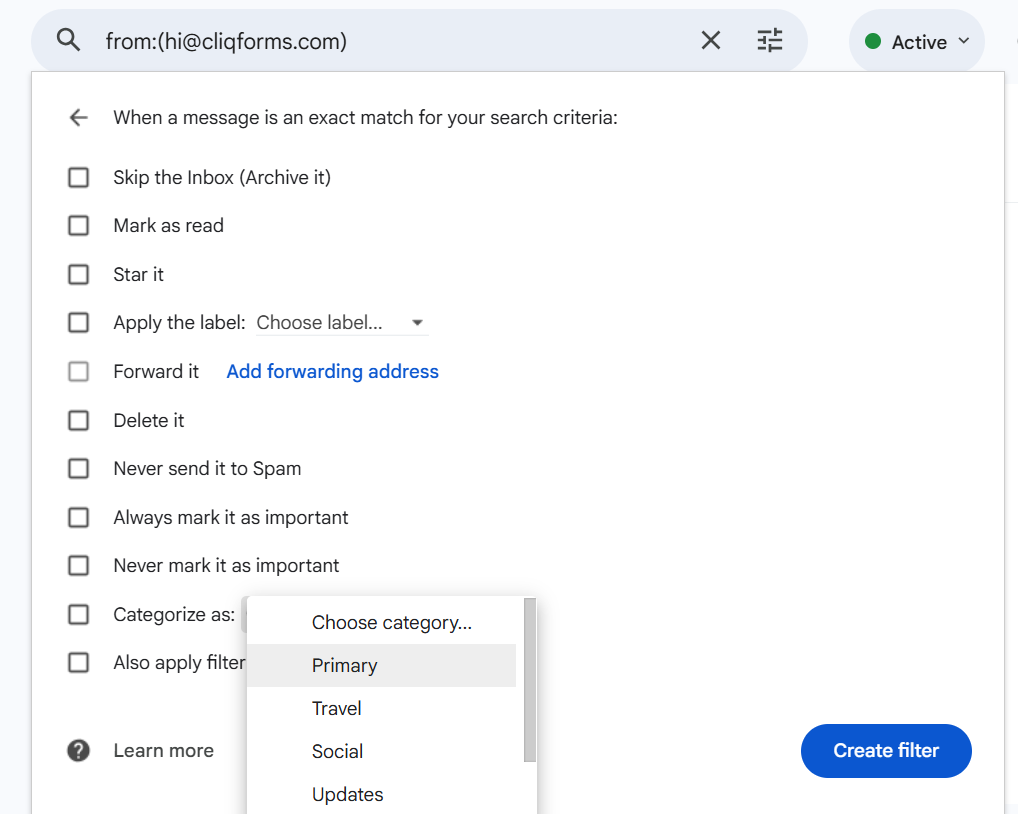
Select Categorize as 'Primary” to never miss any notification in your inbox and click on Create Filter.
These steps will help you get your lead notifications to your inbox and not miss any leads.


.png)
