
update - collect payments in your forms with the new payment type field

Published On:
May 4, 2026
Here in this guide, you will see how to change the dropdown text color.
The dropdown skin type can be used in single select, multi-select, and date type questions. To change the color of this skin type follow these steps:
1. Go to the design section and navigate to UI Elements as shown in the image.
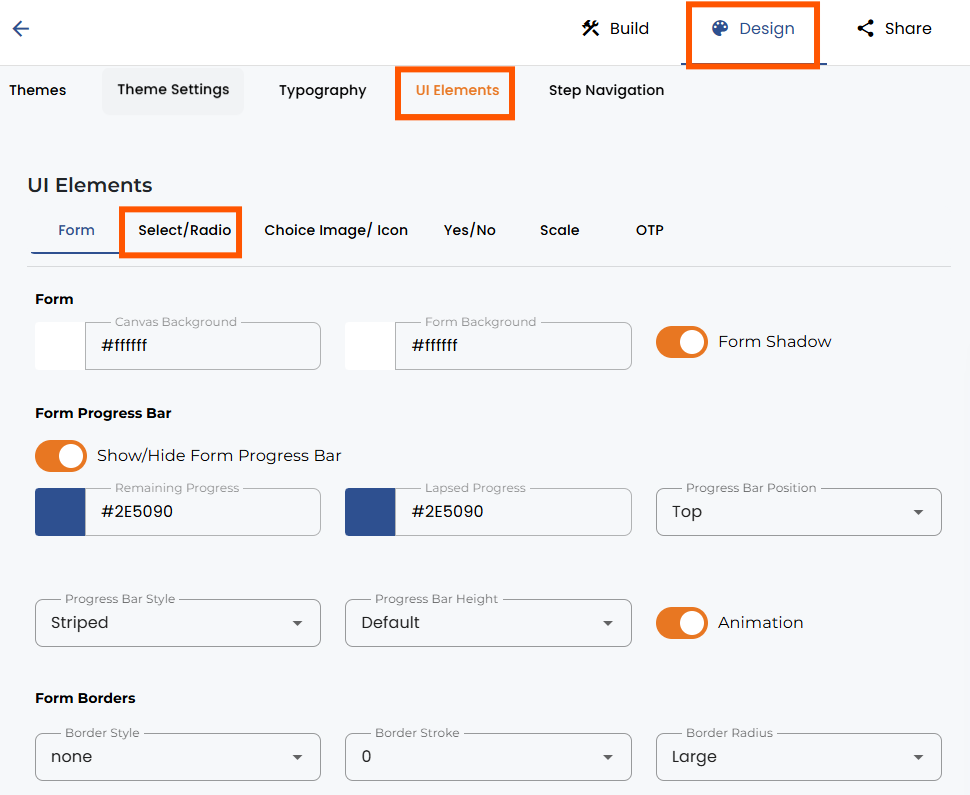
2. Go to Select and select the desired dropdown color.
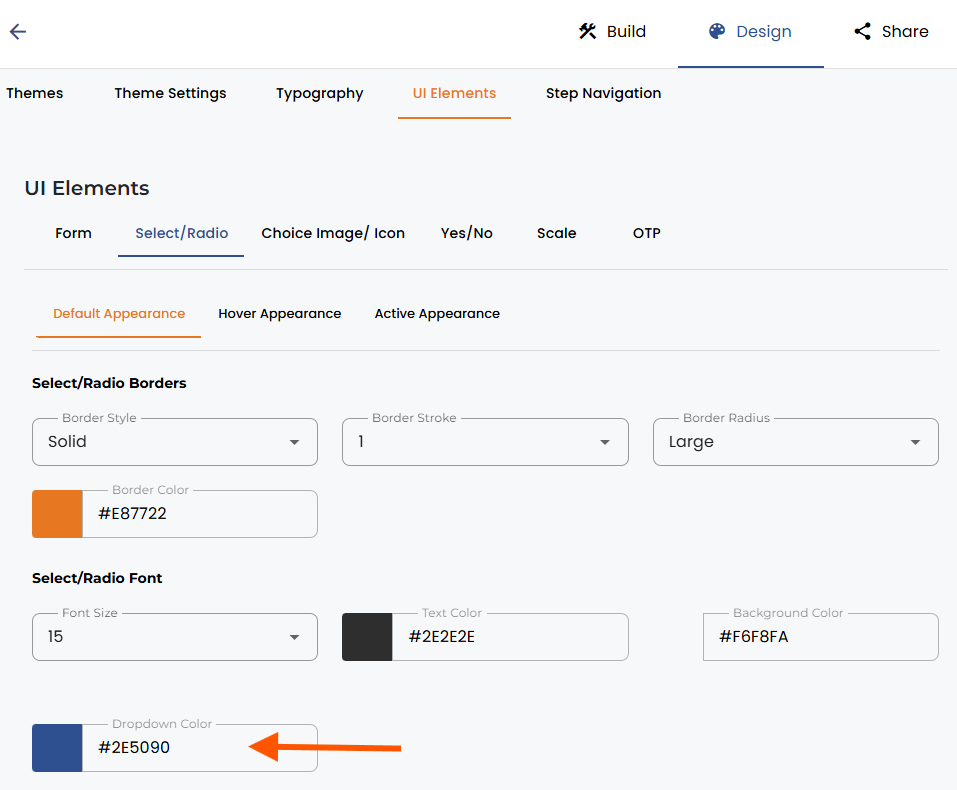
The dropdown color can be changed by selecting a color from the color palette or typing in a hex code.


.png)
