Customize the Form Progress Bar
Here in this guide, you will see how to customize the form progress bar.
Follow the instructions below to customize the form progress bar
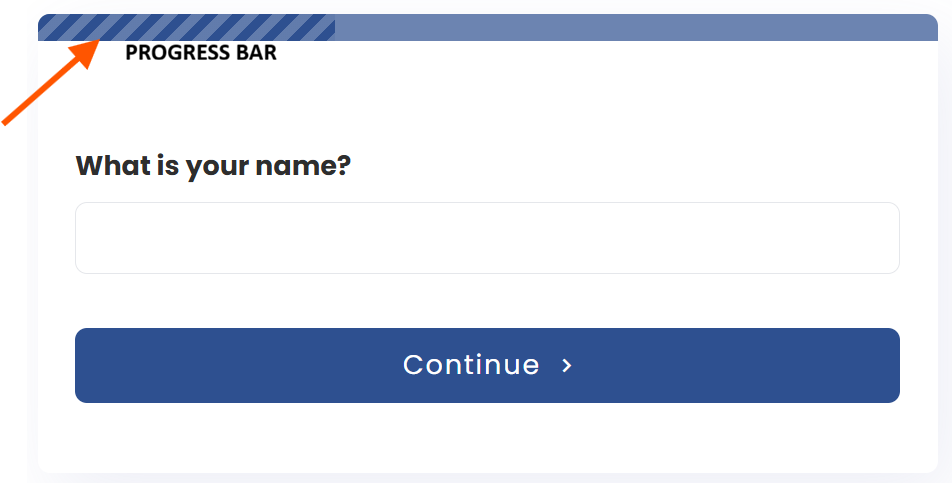
The progress bar appears when using forms with several steps. Activate the progress bar to show users how much of the form they’ve completed.
You can activate or deactivate it, customize the colors of the remaining and lapsed portions, and add animations.
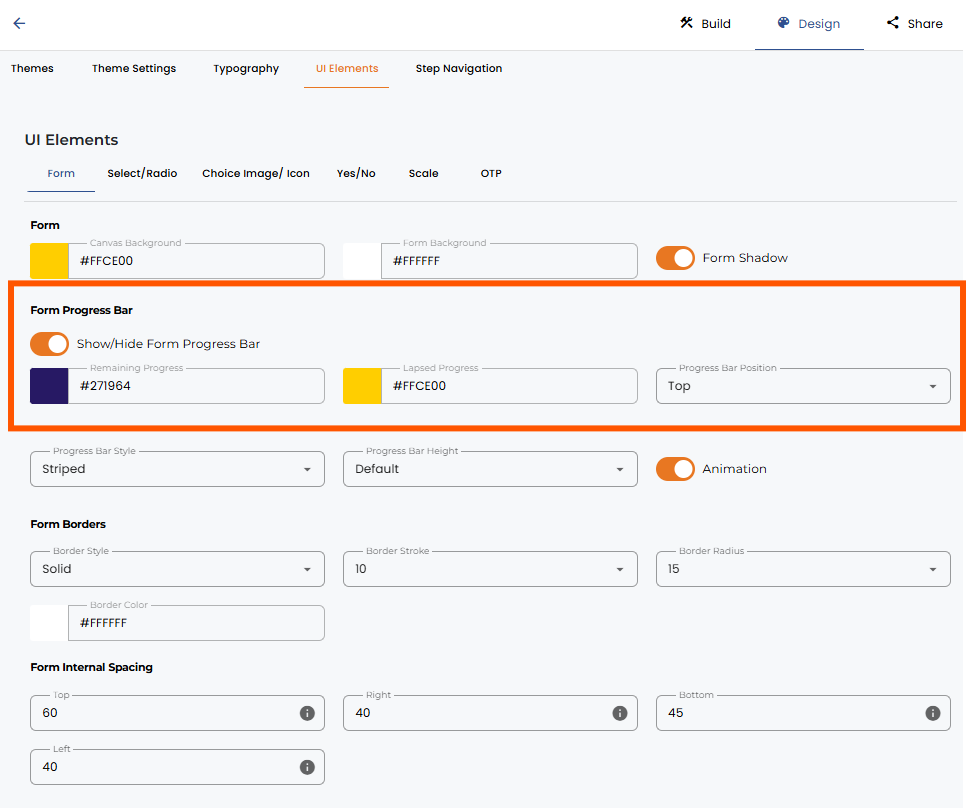
To enable/disable the progress bar in a multi-step form:
- Go to the design section of the form.
- Click on the UI elements.
- Toggle the progress bar option on or off.
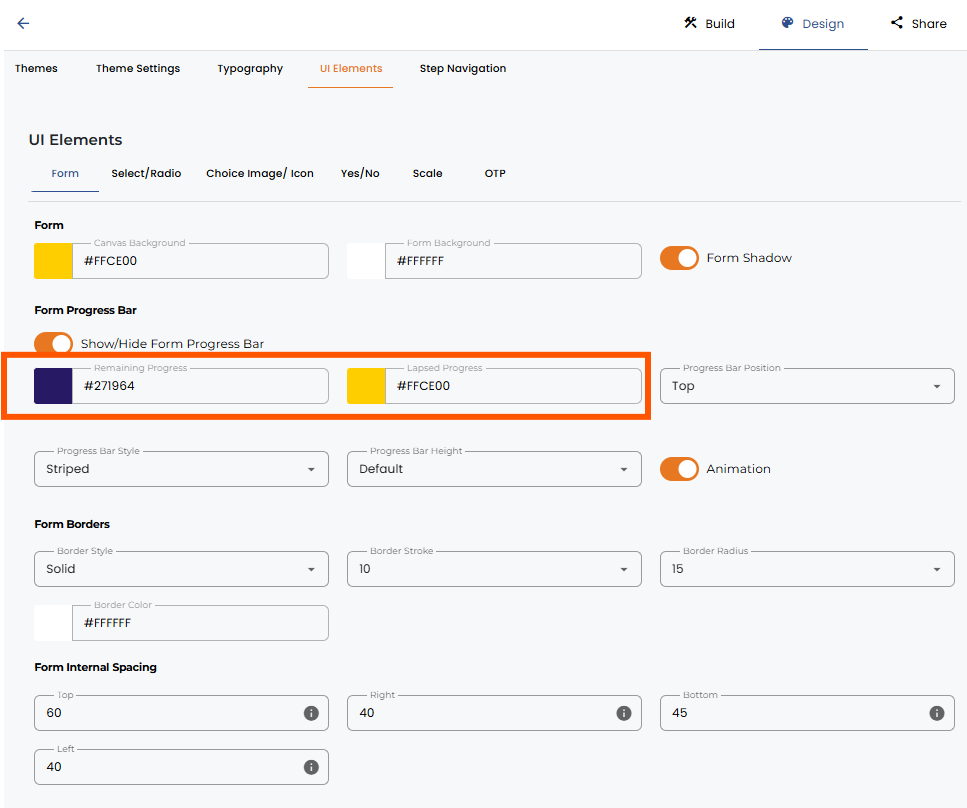
To customize the color
- Simply click into the fields to select the color for changing the remaining and lapsed progress bar. You can also type in the hex code.
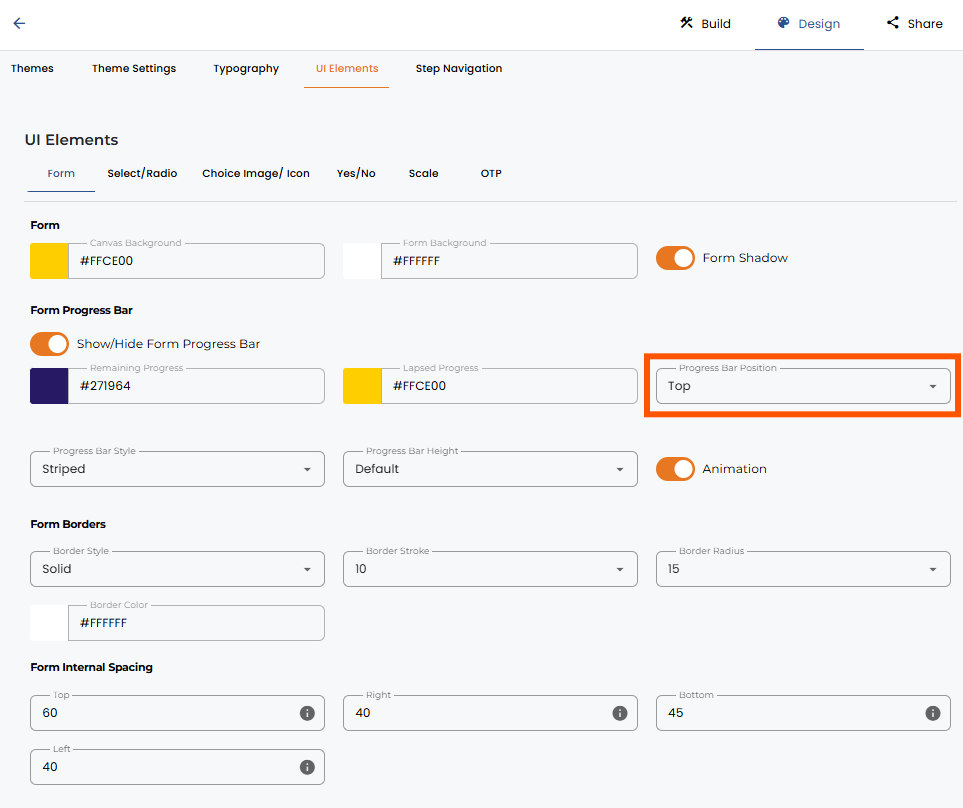
To add animations and change the position of the progress bar
- Toggle the Progress Bar Animation on or off to enable/disable the animation.
- And to change the position, select the desired position from the Progress Bar Position drop-down.




.png)
