
update - collect payments in your forms with the new payment type field, now includes Paypal

Published On:
May 4, 2026
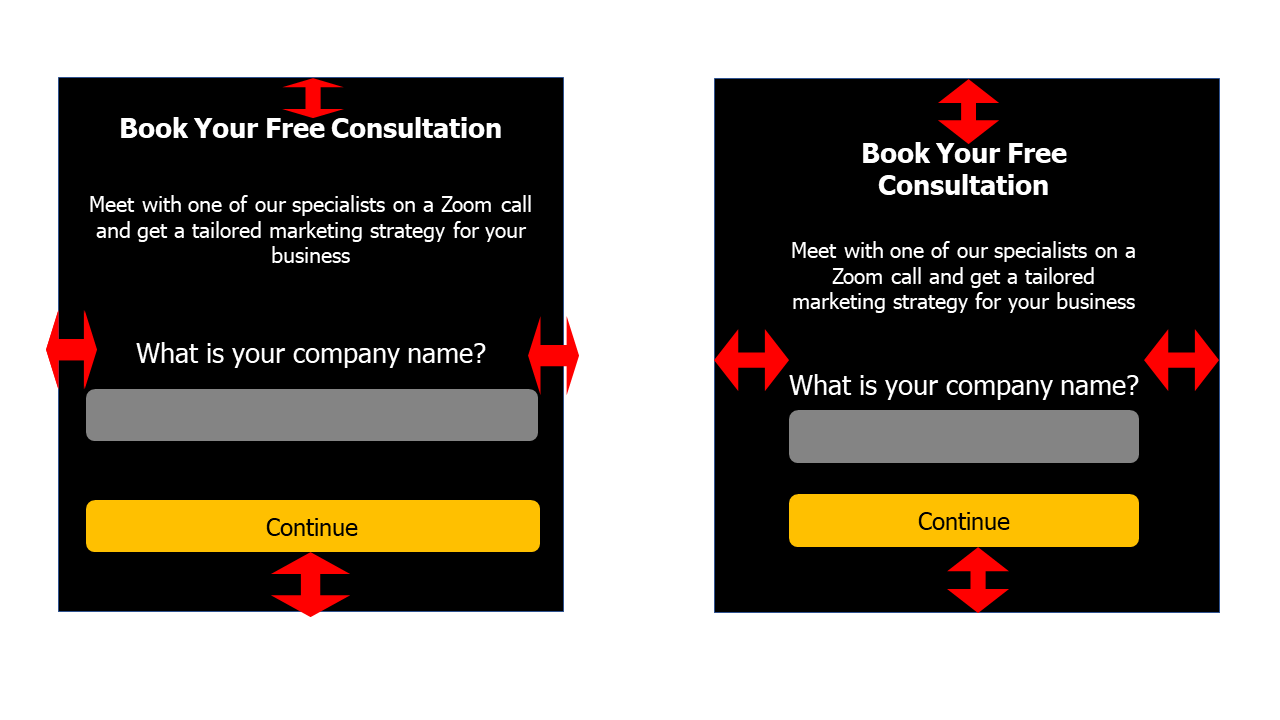
In this guide, you will see how to change the form's internal spacing/padding to change the appearance of content within the form. This can be useful for mobile visibility.
Form internal spacing is a setting to change the appearance of content within the form.
You can use it to increase or decrease the padding of your form.
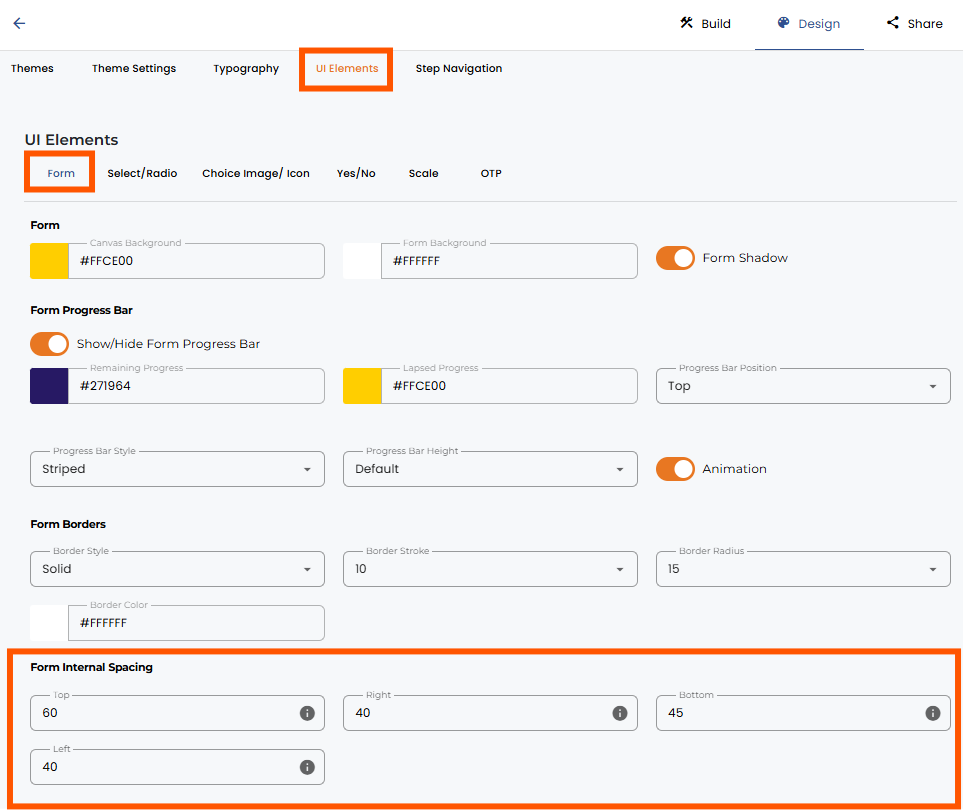
When you open the form, go to the Design section, UI elements, Form, and Form Internal Spacing to change the values.
Increasing values make the padding bigger, and decreasing values make it smaller.


.png)
