
update - collect payments in your forms with the new payment type field

Published On:
May 4, 2026
In this guide you will see how to expand or decrease the form height.
You can change the form height from the form embed code. Both the direct embed and the I-frame code allow you to change the form height.
Open the form in the builder, go to the “Share” tab, and make changes to the embed code.
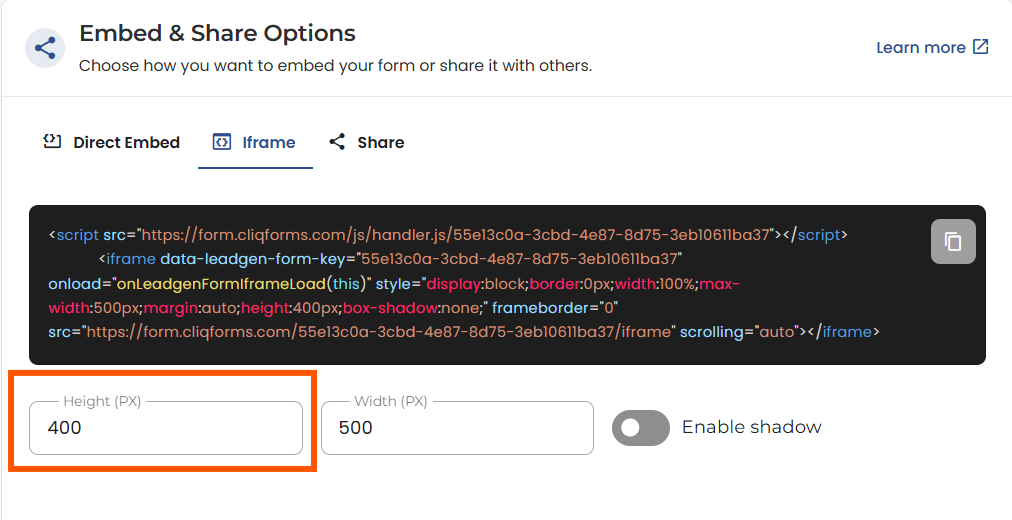
For Direct Embed, copy the code and embed it in your webpage first. Then make changes to the “max-width” setting from inside the code. Use smaller values, e.g., 80%, to show a smaller form height.
For the I-frame, change the PX value in the height setting below the form embed code, which updates the embed code. You can also manually adjust the value in the code after you embed the code to make further changes.
Paste the embed code with the adjusted values into your web page editor to see the changes reflect. You can keep editing the form embed code directly from your webpage by changing the width values.


.png)
