
update - collect payments in your forms with the new payment type field

Published On:
April 30, 2026
Cliqforms supports a question type called “GDPR” that allows you to collect user consent for processing and storing data as well as personalizing marketing activities, providing users the ability to opt-in/opt-out.
For example, you can add a checkbox that confirms that the form visitor is consenting to process their personal data with respect to your privacy policy and terms and conditions.
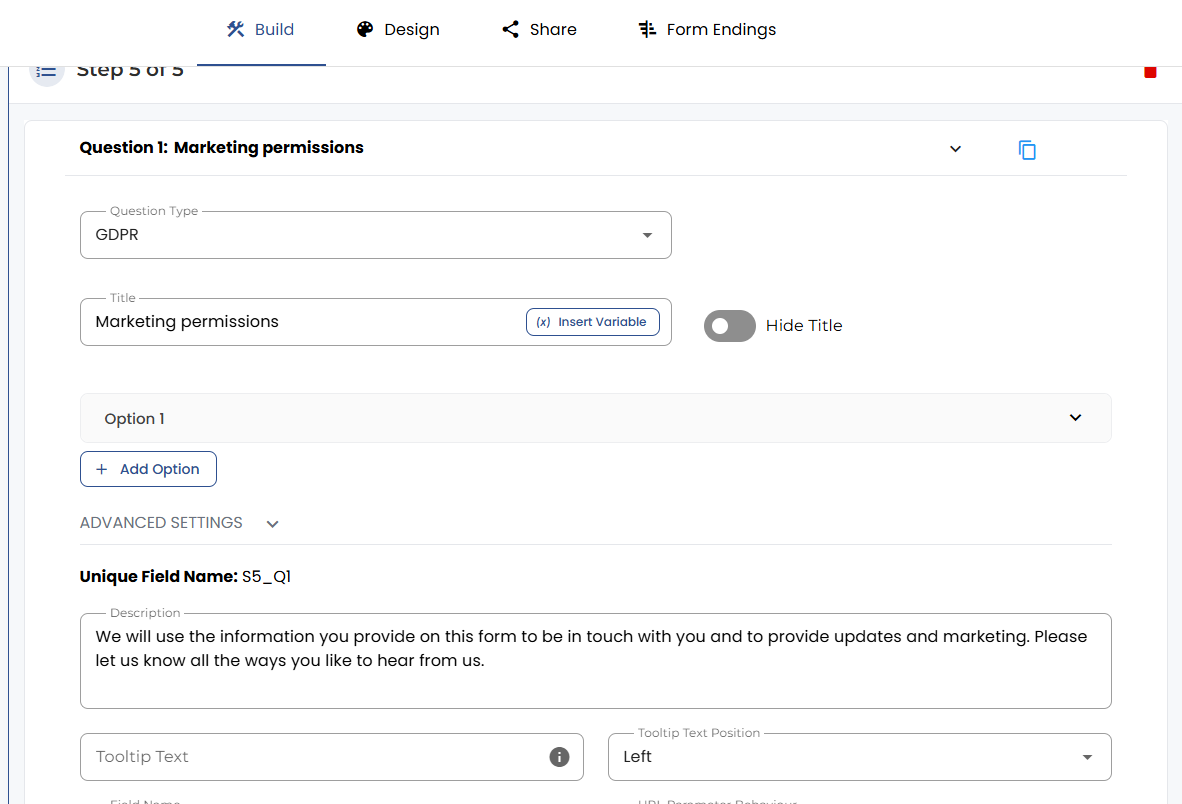
The GDPR question type comes with a prefilled description that you can edit, and the possibility to add different communication channels to opt-in/opt-out for.
Open the “Forms” page from the sidebar.

From the list, select the form you want to change or create a new form.
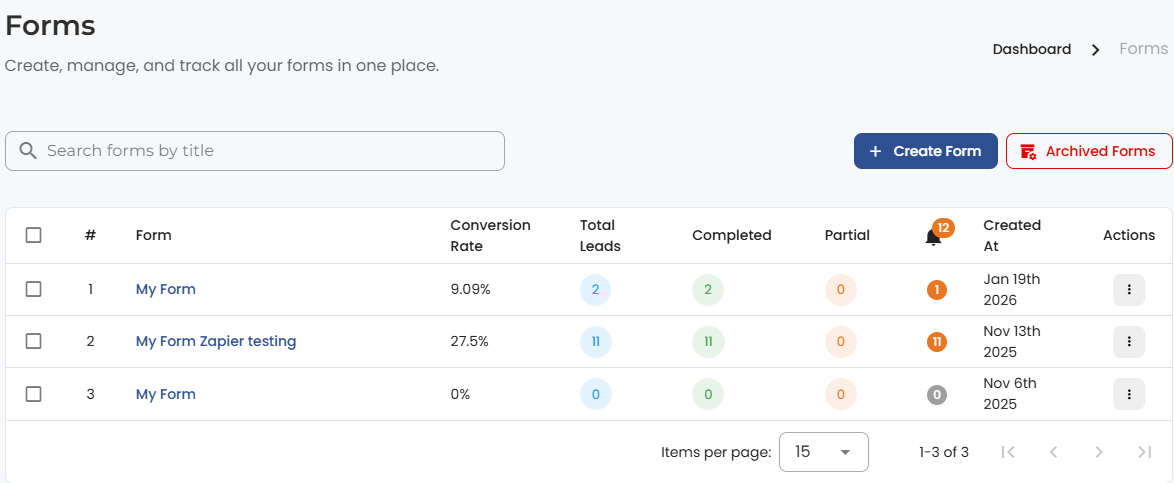
Click on edit to open the form builder.

Scroll down to the bottom of your form, add a new question, and select “GDPR” from the dropdown menu.

The description is automatically filled for this question, so you don’t spend too much time on it, but you can also customise it, e.g. by adding links to your legal documents.
Other variables that you might need are the option settings, e.g. for adding other communication channels besides “Email.”


.png)
