


You're collecting responses. Your customer is ready to commit. And then—they hit a wall. Here's why that gap is costing you more than you think.
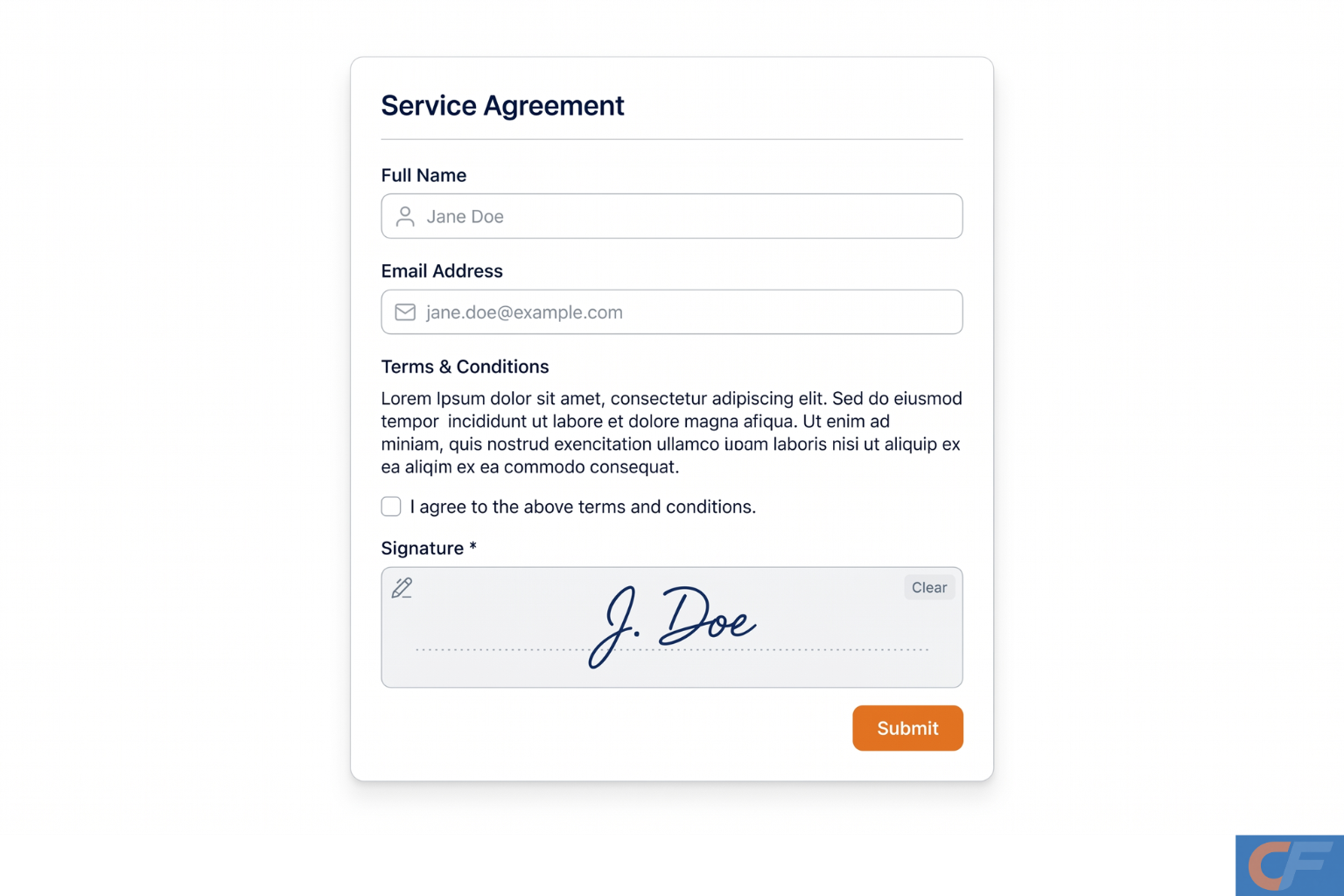
For high-growth small and mid-sized businesses, every friction point in a workflow is a revenue leak. When your form builder and your eSignature tool are two separate products, that gap—however small it looks—compounds across every deal, every client onboarding, and every contractor agreement.
Smart forms are supposed to eliminate friction. They adapt to the person filling them out, validate data in real time, and connect directly to the tools your team already uses. But when the final step — getting a signature — requires exporting data into a separate platform, the promise of a seamless workflow breaks down.
This piece makes the case for native eSignatures: why they matter, how they work, and why consolidating your forms, landing pages, and eSignature capability into a single platform is one of the most practical efficiency decisions a growing business can make right now.
What is an e-signature, and does it hold up legally?
An eSignature (electronic signature) is a digital method of agreeing to or approving a document online. It carries the same legal force as a handwritten signature in most jurisdictions, including under the ESIGN Act in the United States, the Electronic Transactions Act in Australia, and eIDAS across the European Union.
Legally, the key requirements are straightforward: the signer must have intent to sign, must consent to doing so electronically, and the transaction must produce a verifiable audit trail. Compliant e-signature software handles all three automatically—capturing timestamps, IP addresses, and signer identity at the point of signing.
LEGAL CLARITY
Are e-signatures legally binding for business contracts?
Yes, in most commercial contexts, including service agreements, freelance contracts, client onboarding documents, NDAs, and rental agreements. Industries with stricter requirements (wills, certain real estate transactions, and court filings) may still require wet signatures, but for the vast majority of SME use cases, eSignatures collected through compliant software are fully enforceable.
What makes a form "smart"—and where does eSignature fit?
A smart form adapts. Unlike a static form that presents the same fields to every respondent regardless of context, a smart form uses conditional logic to show or hide fields based on previous answers. It validates inputs in real time. It routes submissions automatically. It can trigger follow-up emails, update a CRM, or notify the right team member the moment a form is submitted.
The logical final step in any smart form workflow — particularly for service agreements, proposals, or onboarding — is commitment. That commitment has a name: a signature. When eSignature is built natively into the form builder, the entire journey from first question to signed agreement happens in one unbroken experience.
"The best workflow is the one your customer never notices. A native eSignature means they go from "fill" to "sign" without ever changing tools—or losing momentum."
The typical three-tool problem for SMEs
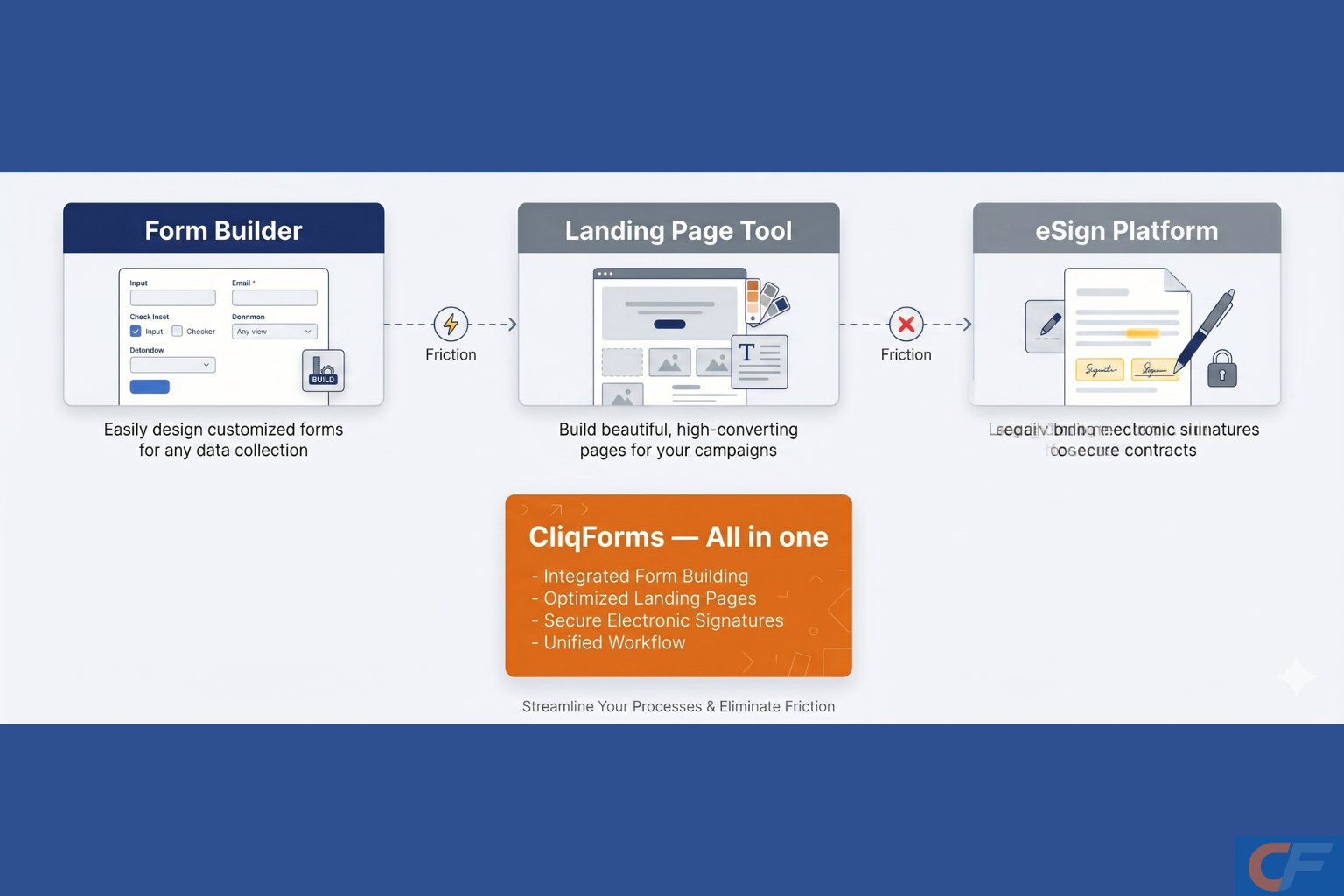
Most growing businesses piece together their client workflow from separate products: a form builder for data collection, a landing page tool for lead generation, and an eSignature platform for contracts. Each tool works fine in isolation. Together, they create a fragmented stack with three subscription fees, three sets of login credentials, three places where data can go missing, and three points of failure.
Each handoff in that chain is a delay, a potential error, and an opportunity for a prospect to lose interest. Native eSignatures collapse that middle entirely.
SME USE CASE EXAMPLE
The agency that cut its SaaS bill — and its turnaround time
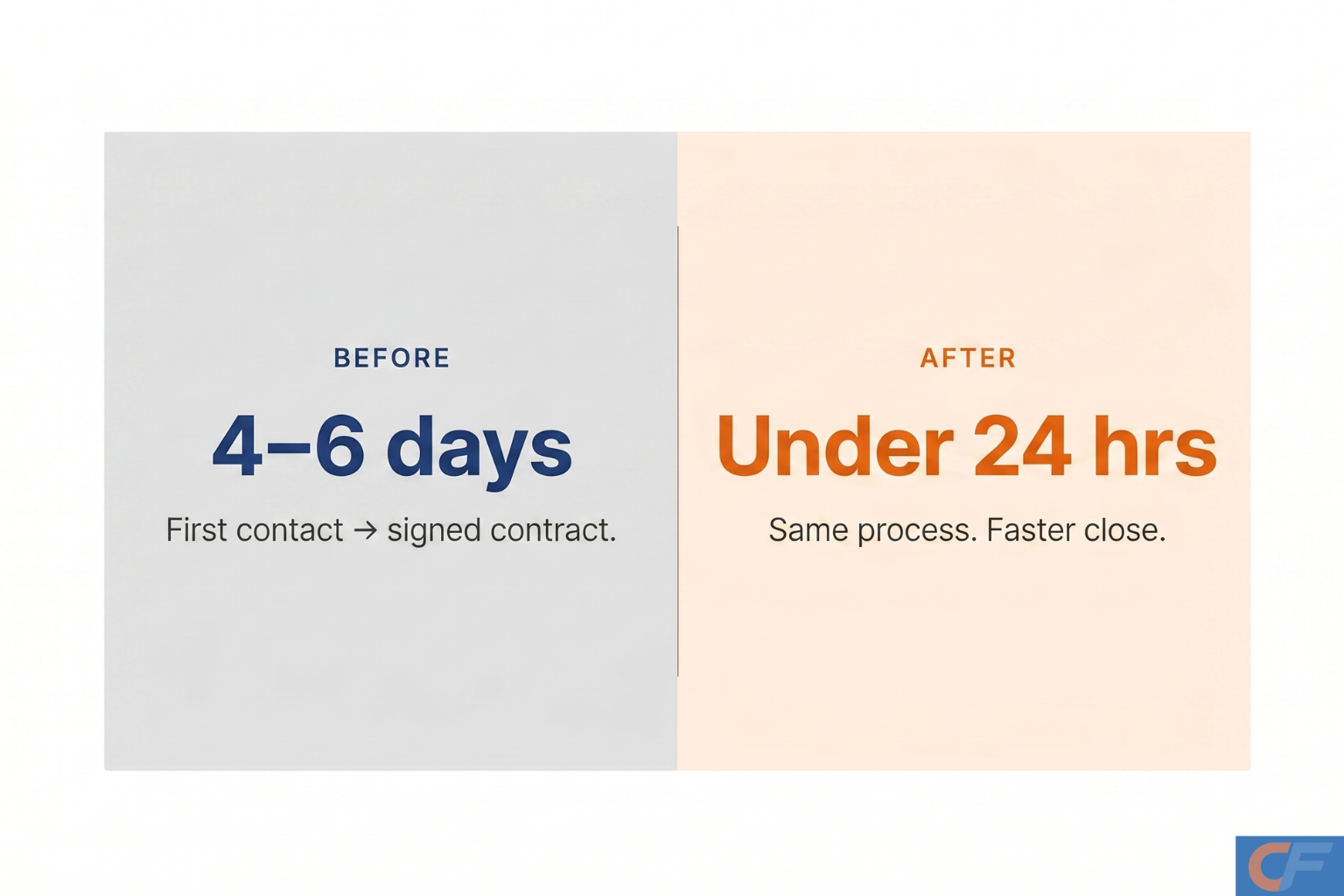
A digital marketing agency handling 30–50 new client onboardings per month was running a three-product stack: a form builder for intake questionnaires, a landing page tool for lead capture, and a separate eSignature platform for service agreements. Monthly cost: approximately $180 across the three tools. Average time from first contact to signed contract: four to six business days, with a manual data transfer step sitting between each stage.
After consolidating onto a single platform with native smart forms, landing pages, and built-in eSignatures, the agency reduced that window to under 24 hours and cut its combined software cost by more than half — without changing its client-facing process at all.
Native vs. bolt-on eSignature: what actually changes
The consolidation case: forms + landing pages + eSign
The real opportunity for high-growth SMEs is not just replacing one eSignature tool. It is reducing the total number of platforms in their workflow. When forms, landing pages, and eSignatures all live in the same product, the benefits compound:
Unified data. Every interaction a prospect or client has—from landing page visit to form submission to signed agreement—sits in one place, linked to the same record. No reconciliation. No gaps.
Faster iteration. When your landing page, lead form, and contract all live in the same tool, testing a new offer or onboarding flow takes minutes, not days, and coordinating changes across three platforms.
Predictable cost. Per-envelope eSignature pricing is one of the most common hidden cost drivers for scaling businesses. The more you grow, the more you pay. Native eSignature as part of a flat-fee plan means your signing costs do not increase as your volume does.
One support relationship. When something breaks or needs changing, there is one team to call — not three.
How to add eSignatures to your smart forms: what to look for?
Not all native eSignature implementations are equal. When evaluating whether a form builder's eSign capability is genuinely useful, look for the following:
Conditional signature fields. The signature field should behave like any other field in your form — appearing only when the conditions you set are met.
Audit trail is included by default. Every signed submission should automatically generate a timestamped record that includes the signer's email address, IP address, and the exact version of the form they signed.
Mobile-native signing. A significant portion of your respondents will sign on a mobile device. The signature experience should be optimized for touch input, not just desktop mouse drawing.
No per-envelope pricing. Look for platforms where eSignature is included in your plan rather than charged per document sent. For high-volume use cases, per-envelope pricing becomes one of the highest hidden costs in the stack.

Frequently asked questions
What is an eSignature?
An eSignature (electronic signature) is a digital method of signing documents or forms online. It carries the same legal weight as a handwritten signature in most countries under legislation such as the ESIGN Act (US) and eIDAS (EU) and does not require printing, scanning, or physical presence.
What is the difference between a smart form and a regular online form?
A smart form uses conditional logic, dynamic fields, and automation to adapt to each respondent in real time. Unlike a static form, a smart form can show or hide fields based on previous answers, validate data on the fly, trigger follow-up actions, and integrate directly with other tools, including eSignature collection.
Is e-signature software legally binding?
Yes, e-signatures collected through compliant e-signature software are legally binding in most jurisdictions. The key requirements are consent, intent to sign, and a verifiable audit trail, all of which reputable eSignature platforms provide automatically.
Why do smart forms need native eSignatures?
When eSignatures are native to your form builder, the entire workflow—data collection, conditional logic, and signature capture—happens in one place. This eliminates the need to export form data into a separate signing tool, reduces errors from manual hand-offs, speeds up turnaround, and cuts the cost of running multiple SaaS subscriptions.
Can I use eSignatures in online forms without coding?
Yes. Modern no-code form builders with built-in eSignature support allow you to add a signature field to any form in seconds — no developer required. Respondents can sign on desktop or mobile, and you receive a legally valid, timestamped signature alongside all other form data.
What types of documents can I collect e-signatures for?
Most common business documents are covered: service agreements, client onboarding forms, NDAs, freelance contracts, consent forms, rental agreements, and internal HR documents. Some documents such as wills, certain real estate deeds, or court filings may still require handwritten signatures depending on your jurisdiction.




.png)