


What Are the Different Types of Online Forms?
The most common types of online forms are contact forms, lead capture forms, registration forms, feedback forms, application forms, data collection forms, conditional logic forms, and request forms. Each serves a specific purpose, from gathering leads to processing applications, and can be built and customized using an online form builder.
Introduction
Every interaction your business has with a customer, prospect, or partner starts somewhere. More often than not, it starts with a form.
Whether someone is booking a demo, signing up for a newsletter, applying for a job, or giving feedback after a purchase, a well-designed online form is what makes that exchange possible. And in 2026, with AI-powered search, smarter buyers, and tighter competition, the type of form you use and how well it is designed can significantly impact your conversion rates.
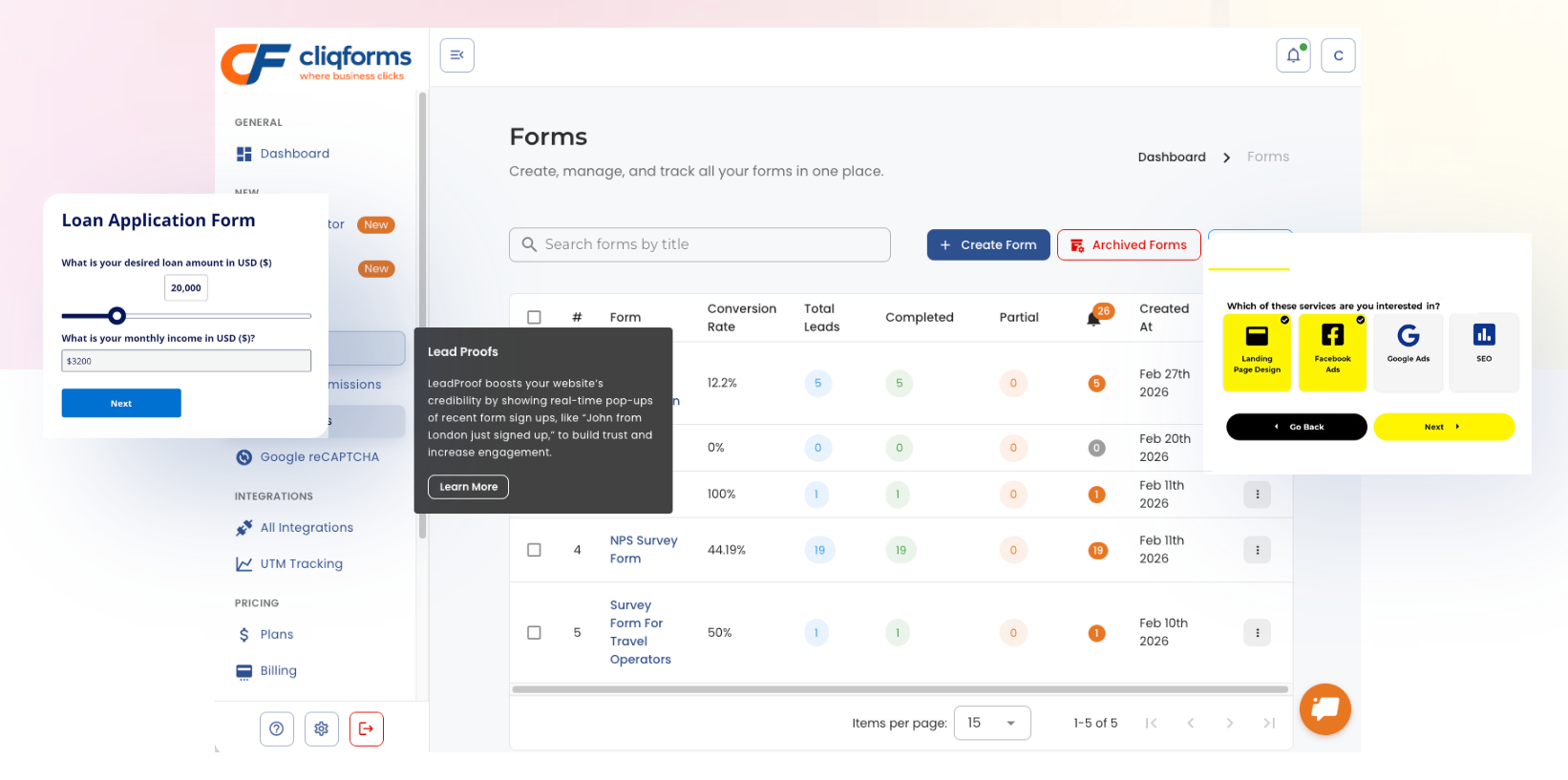
This guide covers every major type of online form, what each one is used for, which industries benefit most, and how CliqForms helps you build them without any coding required.
Why Online Forms Matter More Than Ever in 2026
Before we dive into each type, it is worth understanding why online forms have become so central to how businesses operate:
a) They replace friction with flow. A well built form removes the need for back and forth emails, phone calls, or manual data entry.
b) They capture intent at the right moment. When a visitor fills out a form, they are telling you exactly what they need in their own words.
c) They feed your CRM and marketing stack. Every form submission can trigger automated workflows, nurture sequences, or sales alerts.
d) They are measurable. Unlike phone calls or in person conversations, forms give you data completion rates, drop off points, and conversion metrics.
CliqForms is built specifically to help businesses create high-converting forms for every stage of the customer journey from first touch to long-term retention.

The 14 Most Important Types of Online Forms for Businesses

1. Lead Capture Forms
What they are: Lead capture forms collect contact details from potential customers who have expressed interest in your product or service. They are typically short, fast to fill out, and placed at high intent moments—landing pages, exit popups, or the end of a blog post.
What they collect: Name, email address, phone number, company name, and sometimes a qualifying question or two.
Why they matter: Every lead your sales team follows up with started as a form submission. The quality of your lead capture form directly affects the quality of your pipeline.
Best practices:
i) Keep fields to a minimum, only ask what you genuinely need
ii) Use a clear, specific CTA (e.g. "Get My Free Demo" rather than "Submit")
iii) Add social proof near the form to reduce hesitation
Industries: B2B services, SaaS, real estate, finance, healthcare, e-commerce
Build it with CliqForms: CliqForms lets you create multi-step lead capture forms with conditional logic so you only ask relevant questions based on what the user has already told you, resulting in higher completion rates.
2. Contact Forms
What they are: Contact forms are the most universally used type of online form. They give website visitors a direct, friction free way to get in touch without leaving your site or opening an email client.
What they collect: Name, email, subject, and message. Some include a phone number field or a dropdown to categorize the inquiry type.
Why they matter: A contact form is often the first real conversation a potential customer has with your business. A poorly designed one; too many fields, no confirmation message, slow to load, can cost you leads before they even start.
Best practices:
i) Include an auto response confirmation email so users know their message was received
ii) Route different enquiry types to different team members automatically
iii) Keep it visible, don't hide your contact form three clicks deep
Industries: All industries. Contact forms are universal
Build it with CliqForms: CliqForms contact forms include built in email routing, autoresponders, and spam protection out of the box.

3. Data Collection Forms
What they are: Data collection forms are purpose-built to gather structured information for analysis, research, or record keeping. They are used when the goal is not conversion but information.
What they collect: Survey responses, structured datasets, research inputs, compliance records, and operational data.
Why they matter: Businesses that make decisions based on data outperform those that rely on gut instinct. Data collection forms are the starting point for that advantage.
Common types:
i) Customer research surveys
ii) Market research forms
iii) Internal audit forms
iv) Compliance and regulatory forms
v) HR data collection forms
Industries: Healthcare, academia, financial services, human resources, government, market research
Build it with CliqForms: CliqForms data collection forms support Likert scales, matrix questions, file uploads, and direct export to Google Sheets or your CRM.
.png)
4. Registration Forms
What they are: Registration forms collect information from people who want to sign up for an event, service, platform, or program. They are often the gateway between an interested visitor and an active participant.
What they collect: Personal details, contact information, preferences, and, depending on the event type, payment details.
Why they matter: A registration form that is too long or confusing will cause drop off before sign up is complete. One that is well-designed builds excitement and sets the right expectations.
Common uses:
i) Webinar and event registration
ii) Course enrolment
iii) Platform account creation
iv) Membership sign up
Industries: Education, events, SaaS, membership organizations, hospitality
Build it with CliqForms: CliqForms registration forms support multi-step layouts, progress bars, and conditional fields, making complex signup flows feel simple.
4. Application Forms
What they are: Application forms collect structured information from individuals seeking to be considered for something — a job, a loan, a scholarship, a tenancy, or a membership.
What they collect: Personal background, qualifications, references, financial details, supporting documentation, depending on the application type.
Why they matter: Application forms need to collect a lot of information without feeling overwhelming. Structure, clear labeling, and the ability to save progress are critical for completion rates.
Common types:
i) Job application forms
ii) Rental application forms
iii) Loan application forms
iv) Scholarship application forms
v) Membership application forms
Industries: HR and recruitment, financial services, real estate, education, government
Build it with CliqForms: CliqForms supports file uploads, e-signature fields, and conditional sections—so application forms only show what is relevant to each applicant.
5. Feedback Forms
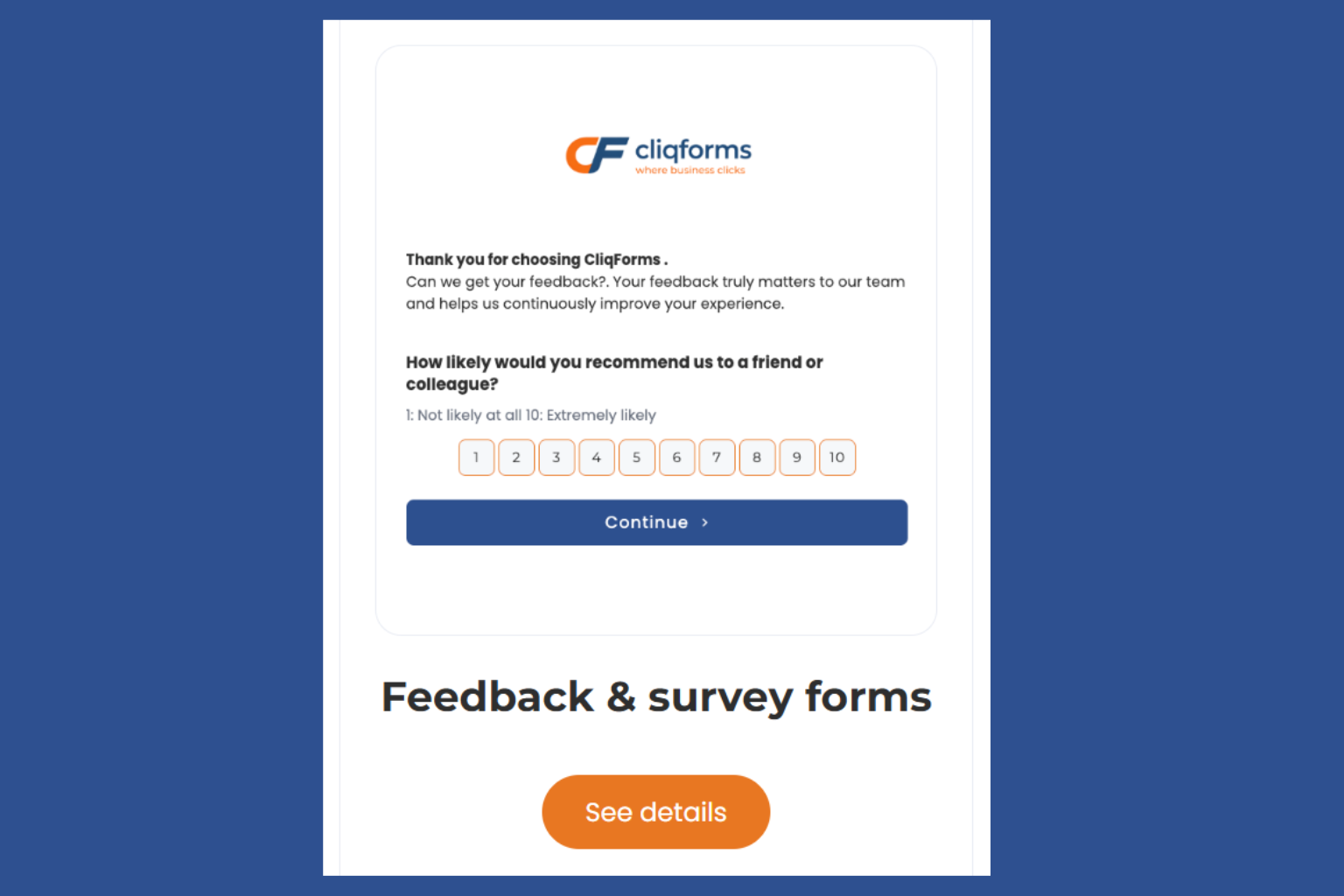
What they are: Feedback forms collect opinions, ratings, and suggestions from customers, users, or event attendees. They are one of the most valuable and most underused tools in a business's data collection arsenal.
What they collect: Ratings, open ended responses, NPS scores, product specific feedback, and overall satisfaction levels.
Why they matter: You cannot improve what you do not measure. Feedback forms give you a direct line to how your customers actually feel, not how you think they feel.
Common uses:
i) Post purchase feedback
ii) Event satisfaction surveys
iii) Product or feature feedback
iv) Employee satisfaction forms
Best practices:
i) Keep them short under 5 questions for post-transaction feedback
ii) Use NPS alongside open ended questions for richer data
iii) Automate delivery, send feedback forms at the right moment, not days later
Industries: E-commerce, SaaS, events, hospitality, healthcare, education
Build it with CliqForms: CliqForms feedback forms include NPS scoring, star ratings, and conditional follow-up questions, so you dig deeper when a customer flags a problem.
6. Conditional Logic Forms
What they are: Conditional logic forms are smart forms that show or hide fields, sections, or entire pages based on a user's previous answers. Instead of one long generic form, each user sees only what is relevant to them.
What they collect: Anything — the power is in the personalization, not the data type.
Why they matter: Studies consistently show that shorter, more relevant forms convert better. Conditional logic lets you collect everything you need without making users wade through questions that don't apply to them.
Example: A job application form that shows different qualification fields depending on whether the applicant selects "Full-time," "part-time," or "freelance" as their preferred working arrangement.
Common uses:
i) Job applications
ii) Insurance quote forms
iii) Product recommendation forms
iv) Customer support triage forms
v) Multi-service enquiry forms
Industries: Insurance, healthcare, recruitment, SaaS, legal services, finance
Build it with CliqForms: Conditional logic is a core feature of the CliqForms builder—no coding required. Set rules visually and preview the logic in real time before publishing.

8. Request Forms
What they are: Request forms allow users to formally ask for something — information, a service, a product, an appointment, or support. They create a structured paper trail and ensure nothing gets missed.
What they collect: The nature of the request, contact details, supporting information, and preferred timeline or format.
Common uses:
i) IT or support ticket forms
ii) Marketing request forms
iii) Appointment booking forms
iv) Quote request forms
v) Information request forms
Industries: Healthcare, education, government, IT services, customer service, professional services
Build it with CliqForms: CliqForms request forms can be connected to your team's workflow via Zapier or webhooks — so every submission triggers the right action automatically.

9. Consent Forms
What they are: Consent forms obtain formal agreement from individuals before a business collects their data, performs a service, or shares information. In a world of GDPR and increasing data privacy regulation, consent forms are not optional — they are essential.
What they collect: Explicit agreement (checkbox or signature), the scope of consent, and a timestamp for compliance purposes.
Why they matter: Without proper consent forms, businesses face regulatory risk. With them, they build trust and demonstrate transparency.
Common uses:
i) GDPR consent forms
ii) Marketing communication opt-ins
iii) Medical consent forms
iv) Photography and media release forms
v) Terms and conditions acceptance forms
Industries: Healthcare, marketing, education, events, legal services
Build it with CliqForms: CliqForms consent forms include e-signature support and automatic timestamping — giving you a compliant, auditable record of every consent given.
10. Onboarding Forms
What they are: Onboarding forms collect the information a business needs to get a new customer, client, or employee set up and ready to go. They are the bridge between signing up and getting started.
What they collect: Account preferences, billing details, key contacts, goals, background information, and anything else needed to deliver the product or service effectively.
Why they matter: A smooth onboarding experience dramatically increases retention. A clunky, confusing onboarding form creates doubt before the relationship has even begun.
Common uses:
i) New client onboarding forms
ii) Employee onboarding forms
iii) SaaS account setup forms
iv) Agency briefing forms
Industries: SaaS, agencies, professional services, HR, finance
Build it with CliqForms: CliqForms onboarding forms support multi-step flows, file uploads, and direct CRM integration — so new clients go straight into your workflow the moment they submit.

11. RSVP Forms
What they are: RSVP forms collect attendance confirmations for events, whether in-person, virtual, or hybrid. They give organizers accurate headcounts and allow for personalized guest communication.
What they collect: Name, attendance confirmation (yes/no), dietary requirements, session preferences, and guest count.
Best practices:
i) Include a deadline for RSVP
ii) Send an automatic confirmation email with event details
iii) Use conditional logic to show different questions for attending vs. non-attendees.
Industries: Events, hospitality, corporate, education, non-profit
Build it with CliqForms: CliqForms RSVP forms include automatic email confirmations and can be embedded directly into your event landing page.
12. Consent & Compliance Forms
What they are: Consent & compliance forms are designed to obtain formal agreement from individuals before a business collects their data, performs a service, or communicates with them. They cover a broad range of regulatory and ethical requirements from GDPR in Europe to CASL in Canada and CCPA in California.
Why they matter: Data privacy regulation is no longer a regional concern; it is a global one. Businesses operating across borders need consent and compliance forms that hold up under multiple frameworks, not just one. A properly designed form protects your business legally and builds trust with your audience by demonstrating transparency.
What they include:
i) Clear explanation of what data is being collected and why
ii) Granular consent options (e.g., marketing emails, third-party sharing, data retention)
iii) E-signature or checkbox confirmation
iv) Timestamped record for audit and compliance purposes
Common uses:
a) GDPR consent forms (EU & UK)
b) Marketing communication opt-ins
c) Medical and healthcare consent forms
d) Photography and media release forms
e) Terms and conditions acceptance forms
f) Cookie consent forms
Industries: Any business collecting personal data, particularly those operating across multiple regions or jurisdictions.
Build it with CliqForms: CliqForms consent & compliance forms are built with global data privacy in mind whether you need to meet GDPR standards in Europe or broader compliance requirements elsewhere. Templates include clear consent language, audit trails, and data storage controls.
13. Report Forms
What they are: Report forms allow users to formally document and submit a report — an incident, a complaint, a safety issue, a bug, or any other structured observation that needs to be recorded and acted on.
What they collect: Description of the incident or issue, date and time, relevant parties involved, supporting evidence (files or images), and the reporter's contact details.
Common uses:
i) Incident report forms
ii) Bug or issue report forms
iii) Employee complaint forms
iv) Safety observation forms
v) Expense report forms
Industries: Healthcare, construction, IT, HR, education, government
Build it with CliqForms: CliqForms report forms support file and image uploads, conditional follow-up questions, and automatic routing to the right team.
14. Sponsorship Forms
What they are: Sponsorship forms collect information from organizations or individuals interested in sponsoring an event, program, or initiative. They help organizers qualify potential sponsors and gather the information needed to put together a proposal.
What they collect: organization name, contact details, budget range, sponsorship interests, and any specific requirements or goals.
Industries: Events, sports, non-profit, media, education
Build it with CliqForms: CliqForms sponsorship forms can include tiered options, conditional package questions, and file uploads for logos or brand guidelines.
How to Choose the Right Form for Your Business
Not sure which type of form you need? Here is a simple framework:
Frequently Asked Questions
What are the main types of online forms?
The main types of online forms are contact forms, lead capture forms, registration forms, feedback forms, application forms, data collection forms, conditional logic forms, consent forms, request forms, and onboarding forms. Each serves a specific business purpose and can be customized to match your brand and workflow.
What is the difference between a form and a survey?
A form is a structured document used to collect specific information—such as a name, email, or application details. A survey is a research tool designed to gather opinions or measure sentiment across a group of respondents. Surveys often use forms as their delivery mechanism, but not all forms are surveys.
What makes a high-converting online form?
High-converting forms are short, clearly labeled, mobile-friendly, and ask only for the information that is genuinely needed. They use conditional logic to personalize the experience, include a clear call to action, and send an immediate confirmation after submission.
What is conditional logic in a form?
Conditional logic allows a form to show or hide fields based on a user's previous answers. For example, if someone selects "Yes" to owning a business, the form can then show additional fields about their company size. This makes forms feel shorter and more relevant, which improves completion rates.
Can I build all these form types with Cliqforms?
Yes. Cliqforms is an online form builder designed for businesses that need professional, high-converting forms without any coding. You can build every type of form covered in this guide and connect them to your CRM, email platform, or internal tools via Zapier or webhooks.
What types of forms are best for lead generation?
The most effective forms for lead generation are lead capture forms, contact forms, demo request forms, and newsletter sign-up forms. Adding conditional logic to any of these can significantly improve conversion rates by making the form feel shorter and more personalized.
Which form types are required for GDPR compliance?
Any business collecting personal data from EU or UK residents needs consent forms and GDPR-compliant data collection forms. These should clearly explain what data is collected and why it is collected and give users granular control over what they agree to.
Build Any Type of Form with CliqForms
Whether you need a simple contact form or a complex multi-step application with conditional logic and e-signatures, CliqForms gives you the tools to build it—fast, without code, and designed to convert.
Start your free trial today and build your first form in minutes.





.png)