


For agencies and professional services firms: stop losing leads between your intake form and your contract. Here's how to build an automated lead capture form with built-in eSignature that converts prospects into signed clients in one step.
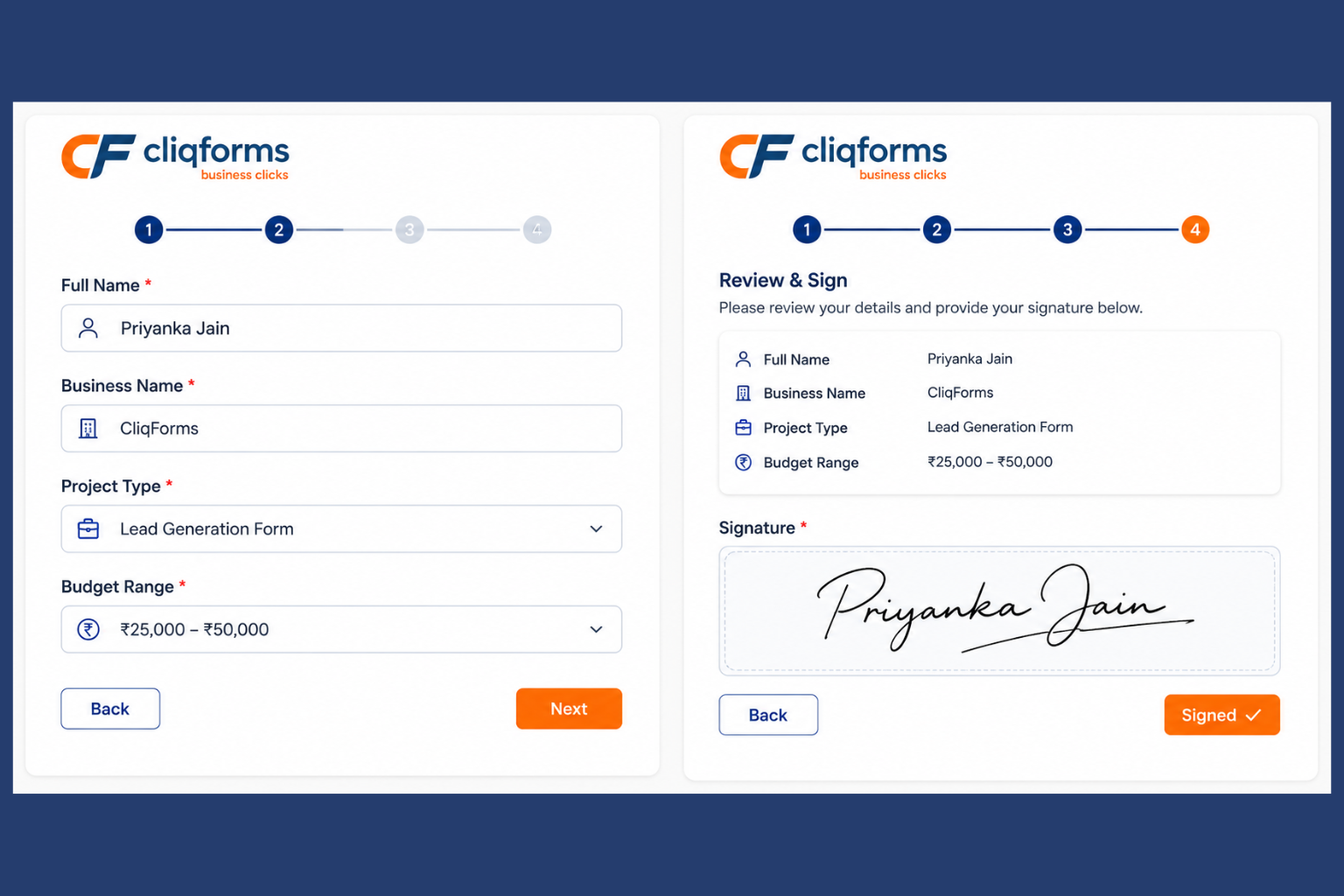
You've done the hard part. Someone found you, liked what they saw, and filled out your discovery questionnaire or intake form. They're interested. They're ready. And then the gap opens up.
For agencies, the gap looks like this: an email asking to book a call, then a proposal, then a contract attachment, then a follow-up when nobody opens it. For law firms, it's an intake form followed by a paralegal callback, a retainer agreement sent separately, and a chase email two days later.
By the time you're chasing a signature, the moment of intent has passed. Automated legal forms combined with a native eSignature field inside your lead capture form close that gap entirely.
Why most lead capture forms stop too early
A standard lead capture form does one job: it collects information. Name, email, project brief, budget range or, for a law firm, matter type, jurisdiction, and contact details. Then it stops. What happens next is a manual process that introduces delay at exactly the wrong moment.
Research consistently shows that response speed is one of the strongest predictors of conversion. Prospects contacted within five minutes are dramatically more likely to proceed than those who wait even 30 minutes. The same principle applies whether you're an agency locking in a new client or a law firm converting an inquiry into a signed engagement letter.
The fix isn't a faster follow-up email. It's removing the follow-up entirely so the commitment happens inside the same session as the inquiry.
What an automated lead capture form with e-signature looks like:
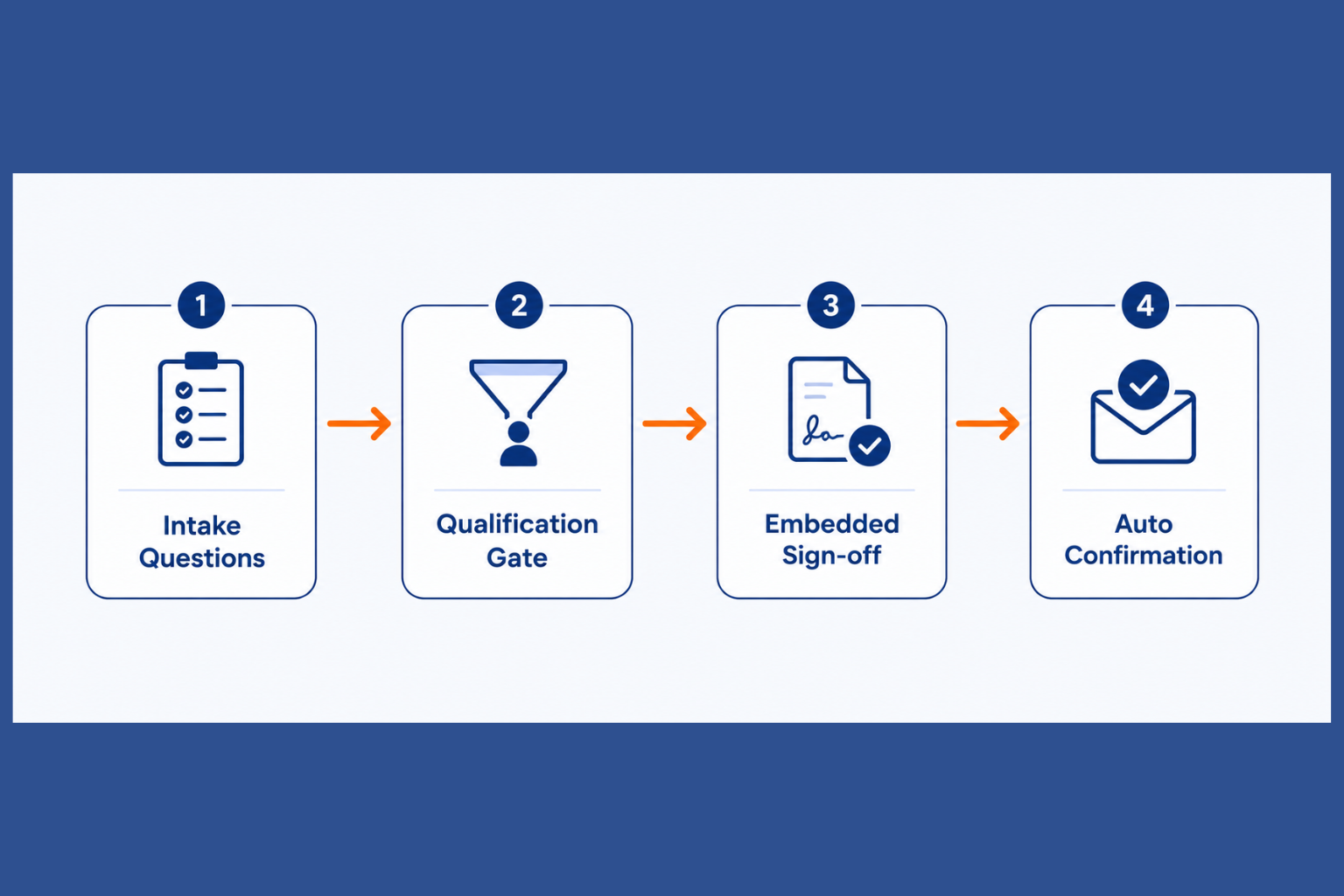
An automated lead capture form combines conditional logic, qualification logic, and a built-in sign-off into a single unbroken flow. Here's the four-step sequence:
Step 1—Intake questions: Collect the information you need to qualify the lead—business name, matter type, budget, and timeline. Conditional logic shows or hides follow-up questions based on their answers.
Step 2—Qualification gate: Based on their answers, the form shows a summary of what working together looks like: scope, timeline, and next steps. Below a minimum threshold, it redirects. Above it, it proceeds.
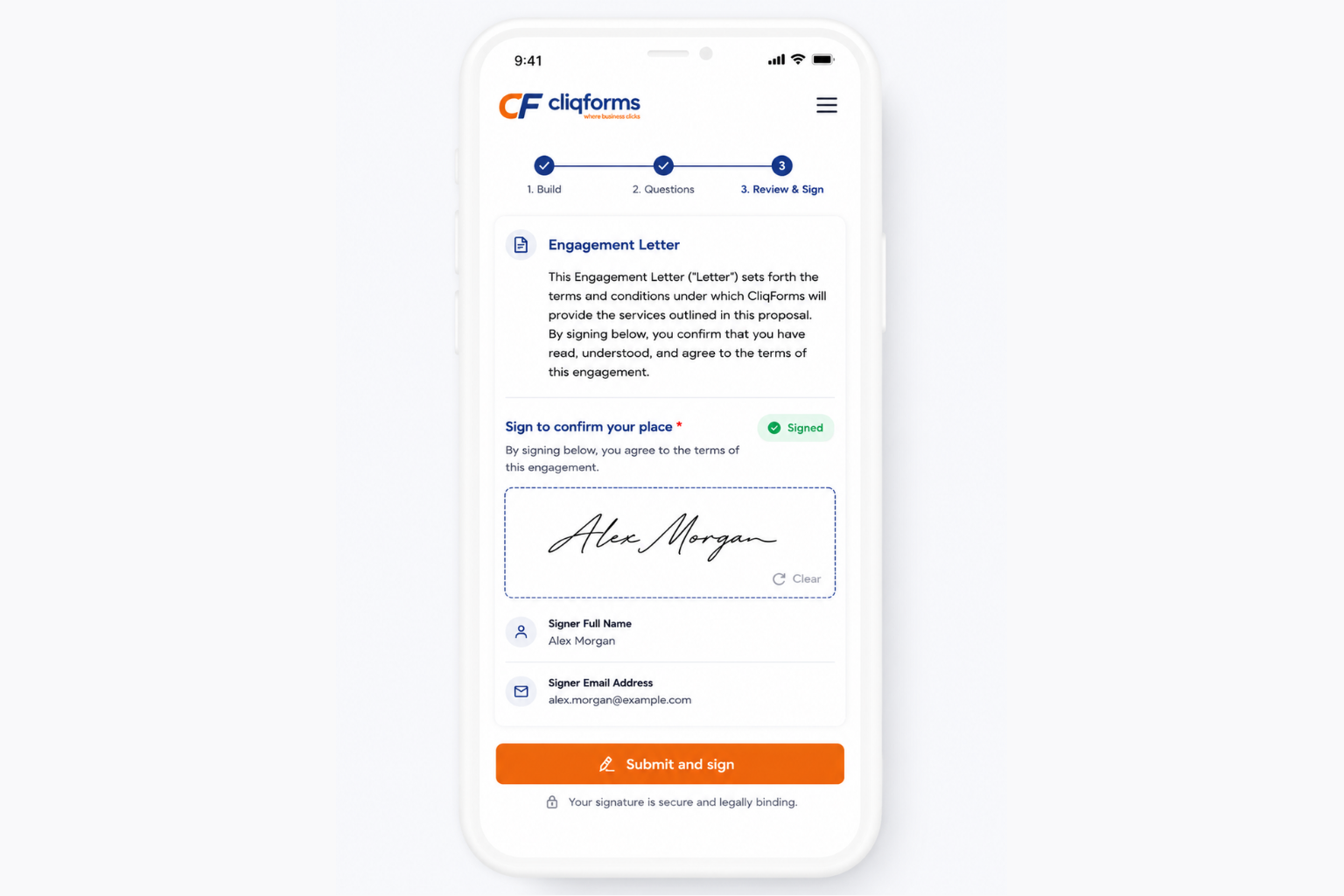
Step 3 — Embedded sign-off: A brief engagement letter, letter of intent, or retainer confirmation appears as the final step of the form. The prospect reads it and signs inside the same flow.
Step 4 — Automated confirmation: The moment they sign, they receive a confirmation email with their signed document attached. Your team is notified instantly. No manual follow-up needed.
The use case: discovery questionnaire + instant sign-off
A digital marketing agency sends all new prospects a discovery questionnaire before any call takes place—four minutes to complete, covering goals, budget, and timeline. Previously, the agency reviewed responses, drafted a proposal, sent a separate contract, and waited. That process took 24–48 hours and required multiple back-and-forth emails.
After rebuilding the form in Cliqforms with CliqSign embedded at the final step, prospects who meet the budget threshold see a brief engagement letter as the last question. They sign it in the same session. By the time the agency reviews the submission, the lead is already a client.
The same approach applies directly to law firms: an intake form for a new matter can end with a pre-populated engagement letter with the client's name, matter type, and agreed fee ready to sign before the first call even happens.

Step-by-step: how to build this in CliqForms
Step 1 — Create your lead capture form
Log in to Cliqforms and click New Form
Add your intake questions using appropriate field types—short text for name, dropdown for matter or project type, radio buttons for budget
Add a brief intro paragraph so respondents know what to expect
Step 2 — Add conditional logic
Click any field → Conditional Logic tab
Set rules so follow-up questions only appear when relevant—e.g., show 'monthly ad spend' only when 'paid advertising' is selected
Add a qualification gate: show the sign-off section only when the budget meets your minimum threshold. Below threshold, redirect to a 'not the right fit' message

Step 3—Write our embedded sign-off
Keep it short, one page maximum. Whether this is a brief engagement letter, letter of intent, or retainer confirmation, it should cover:
What you are agreeing to do—scope summary in plain language
The initial fee, retainer amount, or engagement terms
What happens next—onboarding call, kick-off date, or next contact
A simple consent line: 'By signing below, I confirm I have read and agree to the above.'
Step 4 — Add the CliqSign signature field
In the final section of your form, add a Signature field from the field menu
Label it clearly: 'Sign to confirm your place' or 'Sign to proceed.'
Add a text block above with your engagement letter copy—or link to a PDF for longer documents
Set the field as Required so the form cannot be submitted without a signature

Step 5 — Set up confirmation emails
Go to Form Settings → Notifications
Respondent confirmation email: thank them for signing, confirm next steps, attach a copy of their signed response
Internal notification email: alert your team instantly when a signed submission arrives
Step 6 — Test and publish
Preview on desktop and mobile—check conditional logic works at every branch
Submit a test entry and confirm both notification emails arrive correctly
Embed on your website, share a direct link, or add to your email signature
Taking it further: automated legal forms
For law firms and professional services where a full pre-populated contract is required, Cliqforms and CliqSign support automated legal form workflows. Rather than a brief sign-off, the form generates a completed engagement letter or retainer agreement using the prospect's own answers and presents it for signature in the same session.
A prospect who selects 'commercial dispute, initial consultation, £500 fixed fee' in your intake form receives a pre-populated engagement letter — with their name, matter type, and agreed fee already filled in — ready to sign before the first call even happens. No manual document preparation required.
Frequently asked questions
What is a lead capture form?
A lead capture form is an online form designed to collect contact and qualifying information from potential clients. At its most sophisticated, as described in this guide, it qualifies the prospect, presents a sign-off, and converts them into a signed client in a single session.
What are automated legal forms?
Automated legal forms are online forms that generate a completed legal document—such as an engagement letter or retainer agreement—from the respondent's answers and present it for eSignature in the same flow. They remove the manual document preparation step between inquiry and signed agreement.
Can I add an e-signature to any CliqForms form?
Yes. With CliqSign built into CliqForms, the signature field works like any other field—drag it in, position it, and set it as required. Your respondent signs directly inside the form without needing a separate tool or account.
Is an e-signature on a form legally binding?
Yes, in most business and legal contexts. Electronic signatures are legally recognized under the ESIGN Act (US), Electronic Transactions Act (Australia), and eIDAS (EU). CliqSign captures intent, consent, and a full audit trail automatically.
Can signers complete this on mobile?
Yes. CliqSign's signature field is fully mobile-optimized. Signers can type, draw, or upload a signature on any device — no download or account required.




.png)